
The Donk Bass heard in songs such as Ado's “Odo” is an FM-modulated synth bass with a metallic tone and a sharp attack. With the free Vital synthesizer, you can combine multiple oscillators and envelopes, then add effects to make a distinctive bass sound for EDM, pop, or Vocaloid music. This beginner-friendly guide walks through the oscillator, filter, and effects settings step by step so you can use the sound in your own tracks.
What gives the bass in Ado's “Odo” its metallic FM character?
Questions and answers from the YouTube video

Thank you for such a clear explanation! At 2:01, you say to route Oscillators 1, 2, and 3 through the filter. Is there a reason to filter Oscillator 2 as well? What difference does it make if the filter is applied to it or not?

Oscillator 2 is not producing audible output, so filtering it has no effect at this stage. I route it through the filter just in case I want to add some OSC 2 sound later, so I do not have to set up the filter again.
So you use reverb as an insert effect. Is it okay to add OTT on top of that?
Yes. If you get the sound you want, there is no need to worry about a fixed effect order. Applying OTT before reverb might sound even better, so please try it!

The distinctive bass sound heard in Ado's “Odo” and similar songs is an FM-modulated synth bass.
Its metallic, sharp attack and dynamically changing FM modulation make it a staple sound in a wide range of genres, including EDM, pop, and Vocaloid music.
Let's make the sound step by step.
First, here is a diagram of the process covered in this guide.
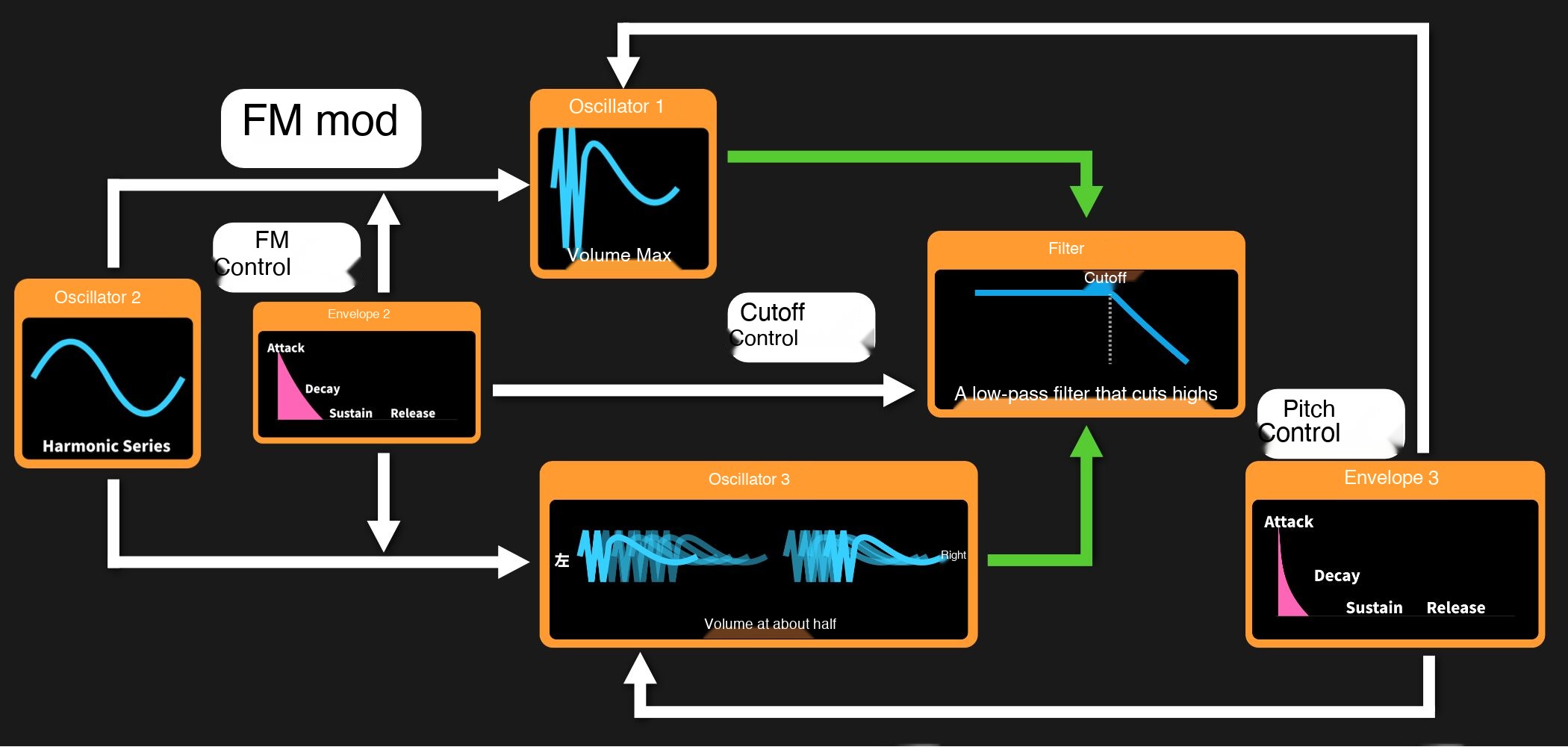
Step 1: Build the basic FM modulation structure
Start by setting up the oscillators (OSCs).
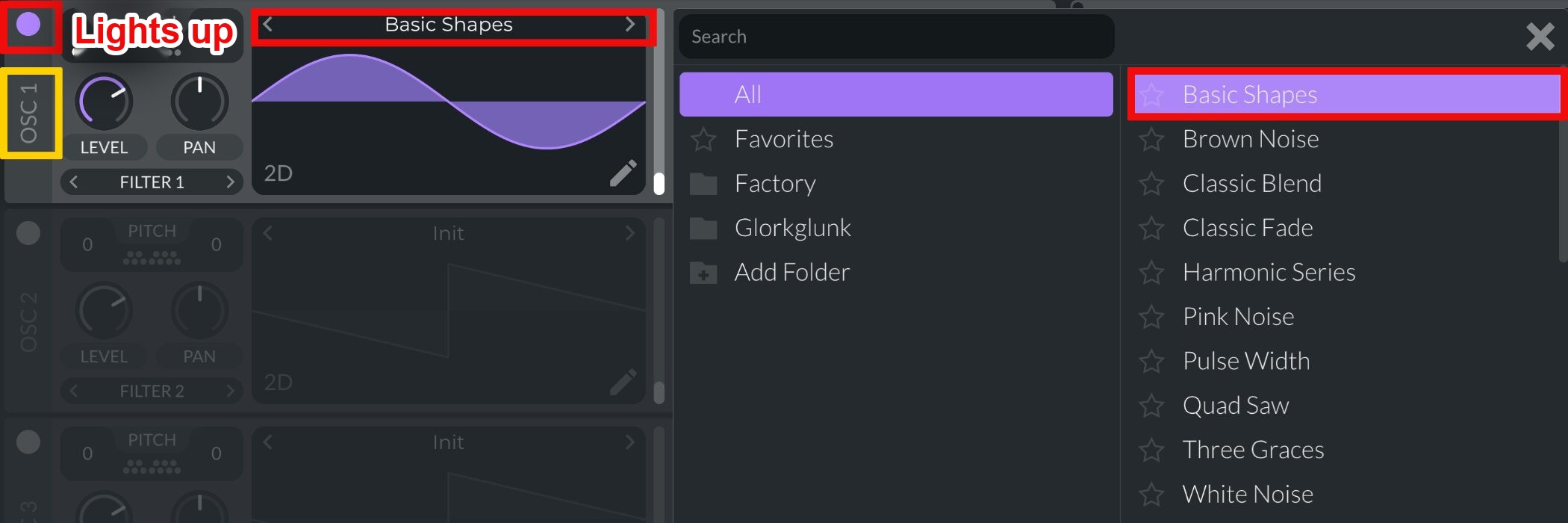
Set the OSC 1 wavetable to“Basic Shapes”and select the sine wave.
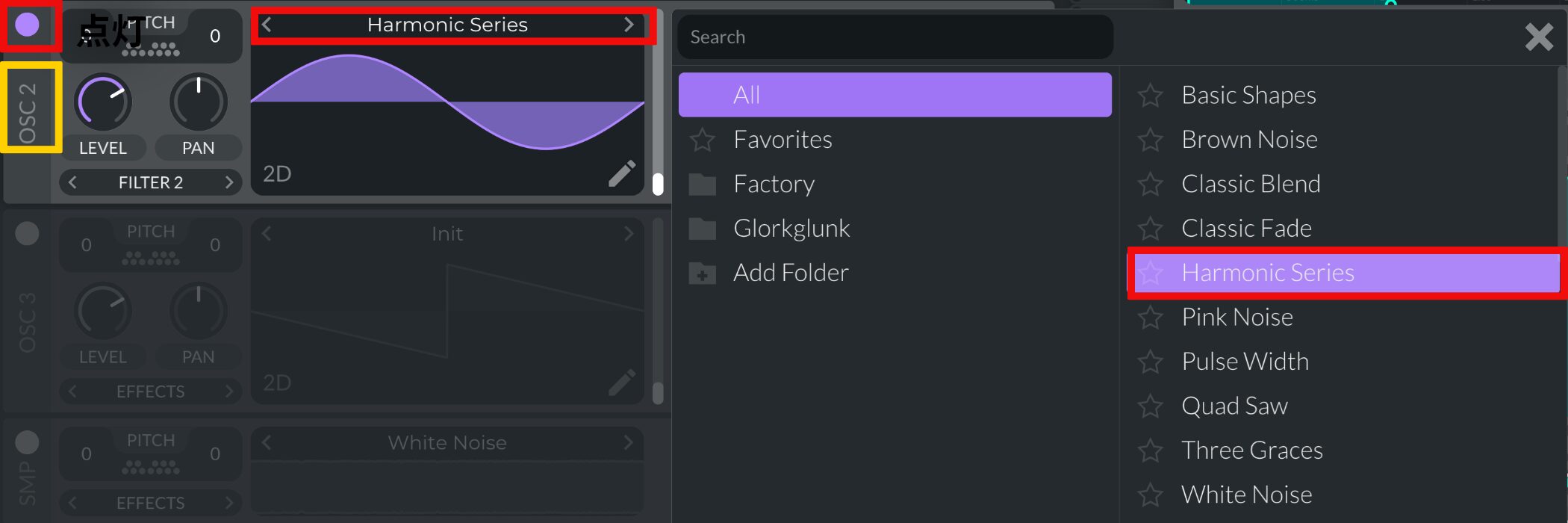
Next, turn on OSC 2 and set its wavetable to“Harmonic Series”for the modulating oscillator.

OSC 2 is used as the FM modulator without being heard directly, so set itsLEVEL to 0for the modulating oscillator.
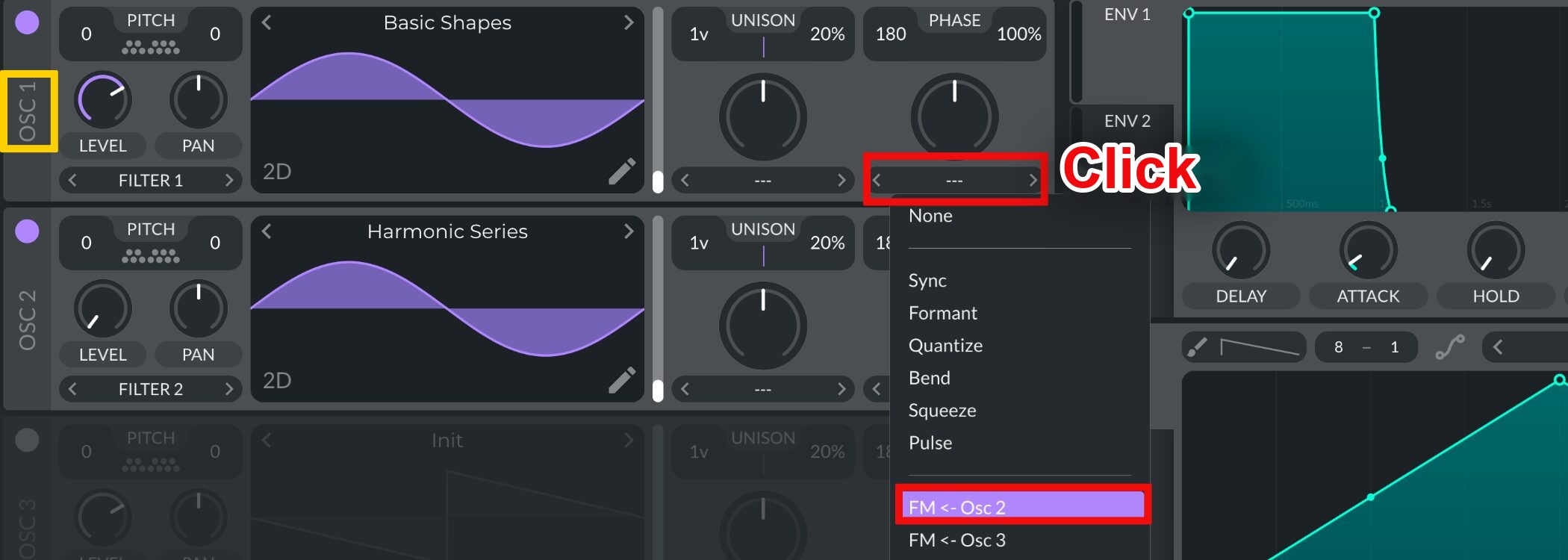
In OSC 1's FM setting, select“FM<-OSC 2”to assign Oscillator 2 as the modulator.
That gives you the basic FM modulation structure.
Step 2: Control FM dynamically with an envelope

To control the amount of FM modulation, set upENV 2for the modulating oscillator.
- SUSTAIN: Set to 0
- DECAY: Set fairly short

AssignENV 2 to the FM control of OSC 1so the envelope controls the FM amount.
The envelope will now create a changing FM sound. Leave theWave Morph knob at 0 (its default value)while shaping this sound.
Step 3: Add width and attack, then set the filter
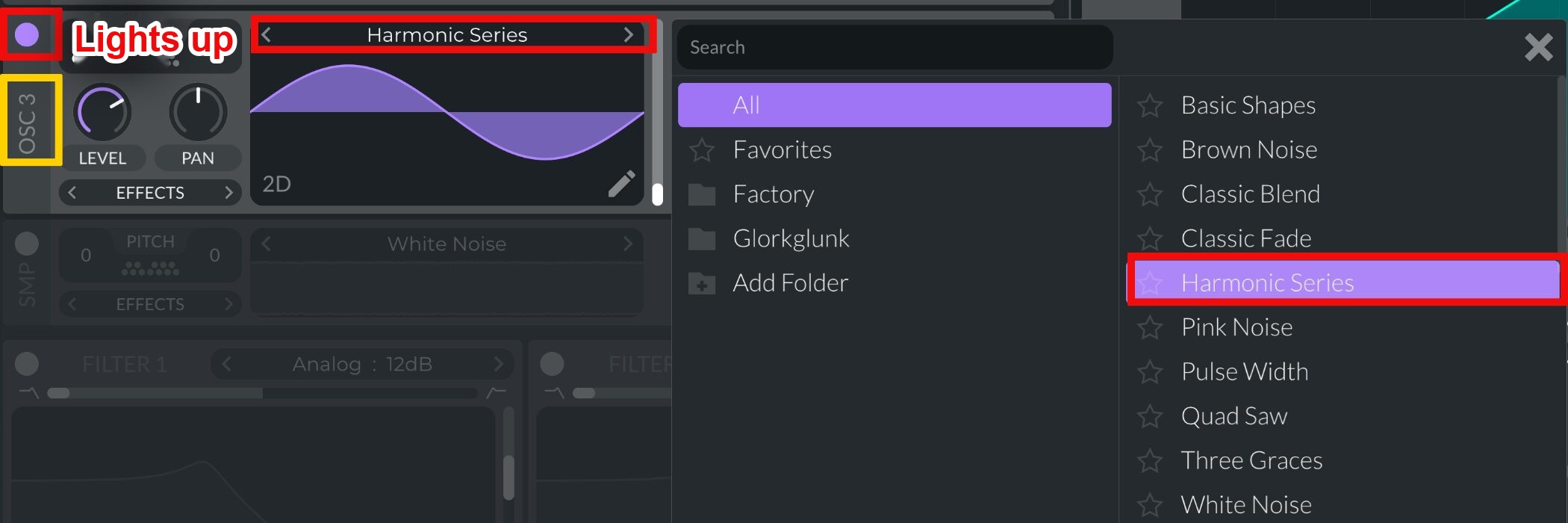
Turn on OSC 3 and set its wavetable to“Harmonic Series”for the modulating oscillator.
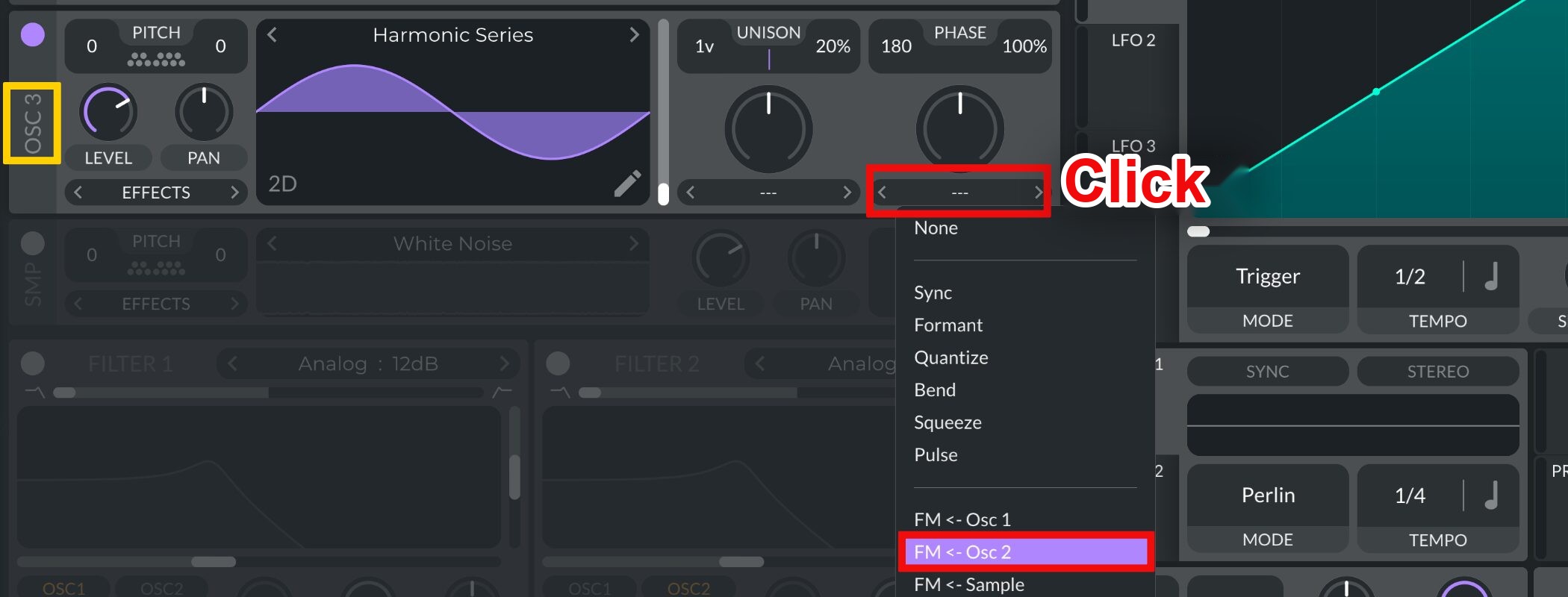
In OSC 3's FM setting, select“FM<-OSC 2”to assign Oscillator 2 as the modulator.
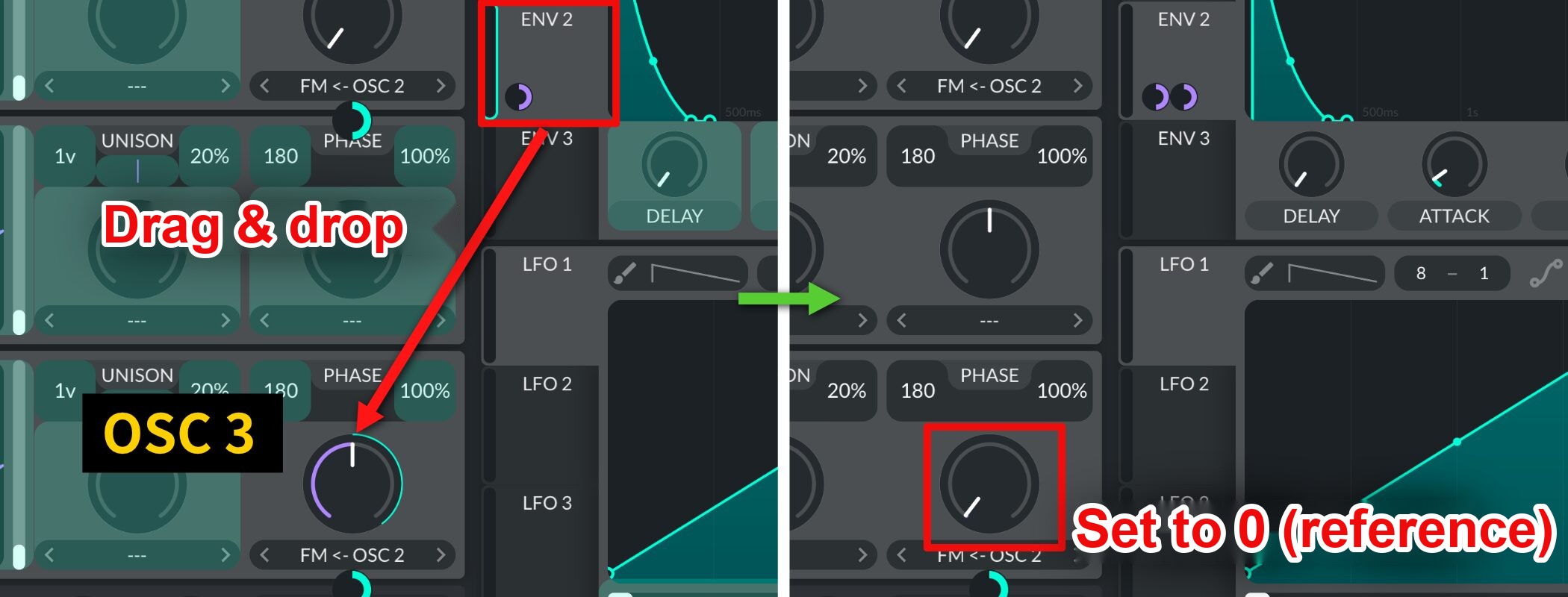
Assign ENV 2 to the FM control of OSC 3so the envelope controls the FM amount.
As before, leave theWave Morph knob at 0 (its default value)for this step.
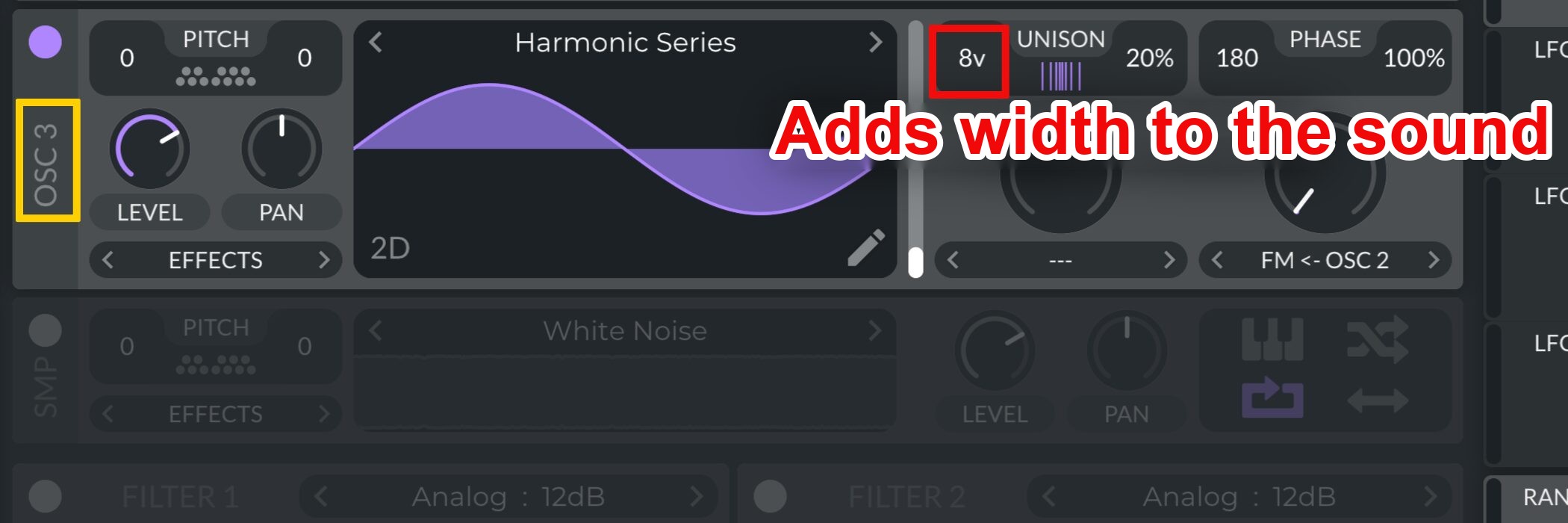
To give the sound more width, set OSC 3’sUnison Voices to 8for the modulating oscillator.
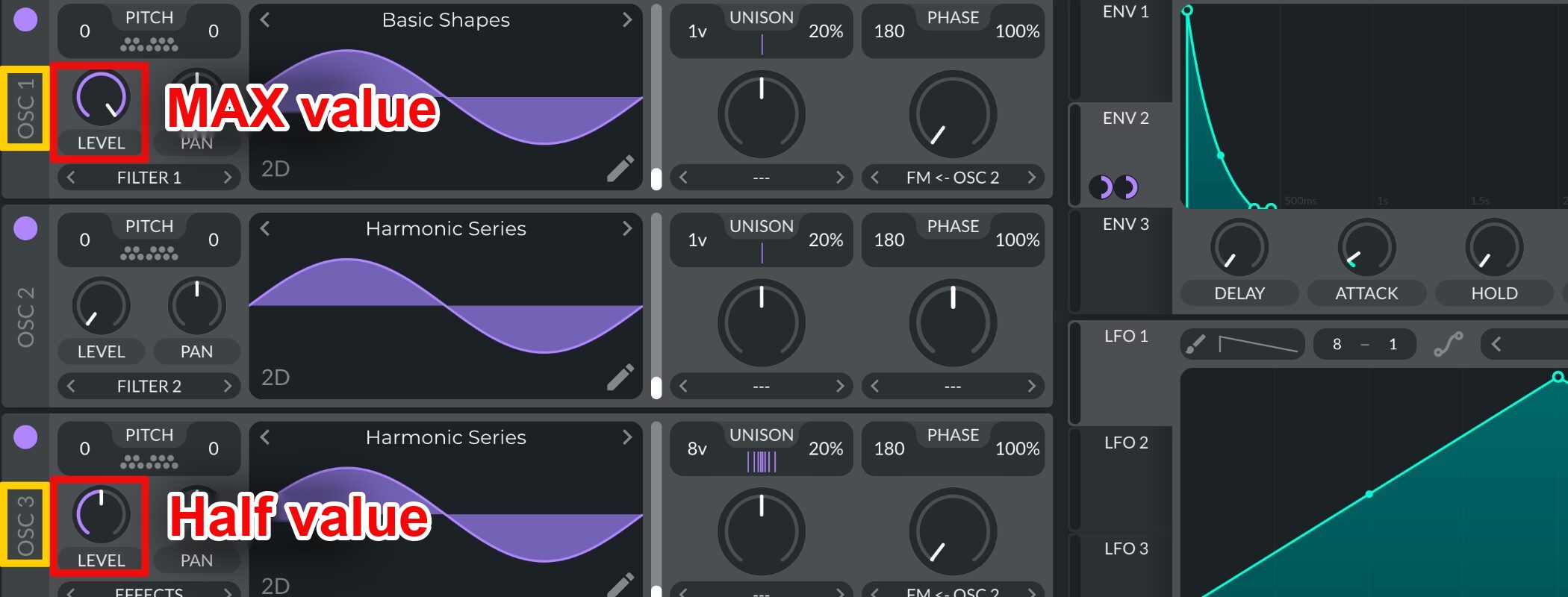
Set theoscillator LEVEL valuesfor the modulating oscillator.
- OSC 1: Maximum value
- OSC 3: Half the maximum value

Route FILTER 1 toall oscillatorsfor the modulating oscillator.

Change the Filter Type toAnalog 24 dBand setResonance to 0.000%for the modulating oscillator.

Assign ENV 2 to Cutoffso the filter moves when a note plays.
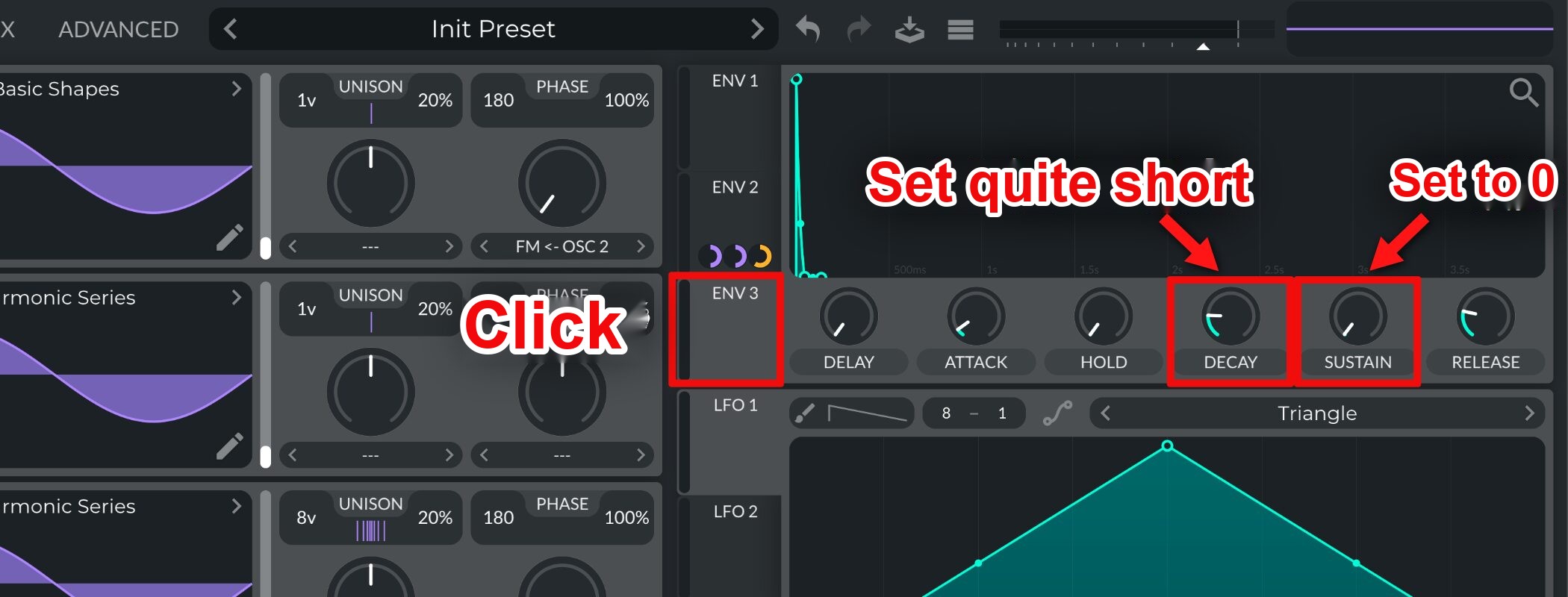
To add a sharper attack, set upENV 3for the modulating oscillator.
- SUSTAIN: Set to 0
- DECAY: Set very short

AssignENV 3 to the PITCH of OSC 1 and OSC 3so the envelope controls the FM amount.
The sound now has a sharp, distinctive attack.

At this point, changingOSC 2's wavetablewill change the sound substantially. Adjust it until you find a tone you like.
Step 4: Finish the sound with effects

Enable Distortion and set its TYPE to“Soft Clip”before addinga little DRIVEto shape the distortion.
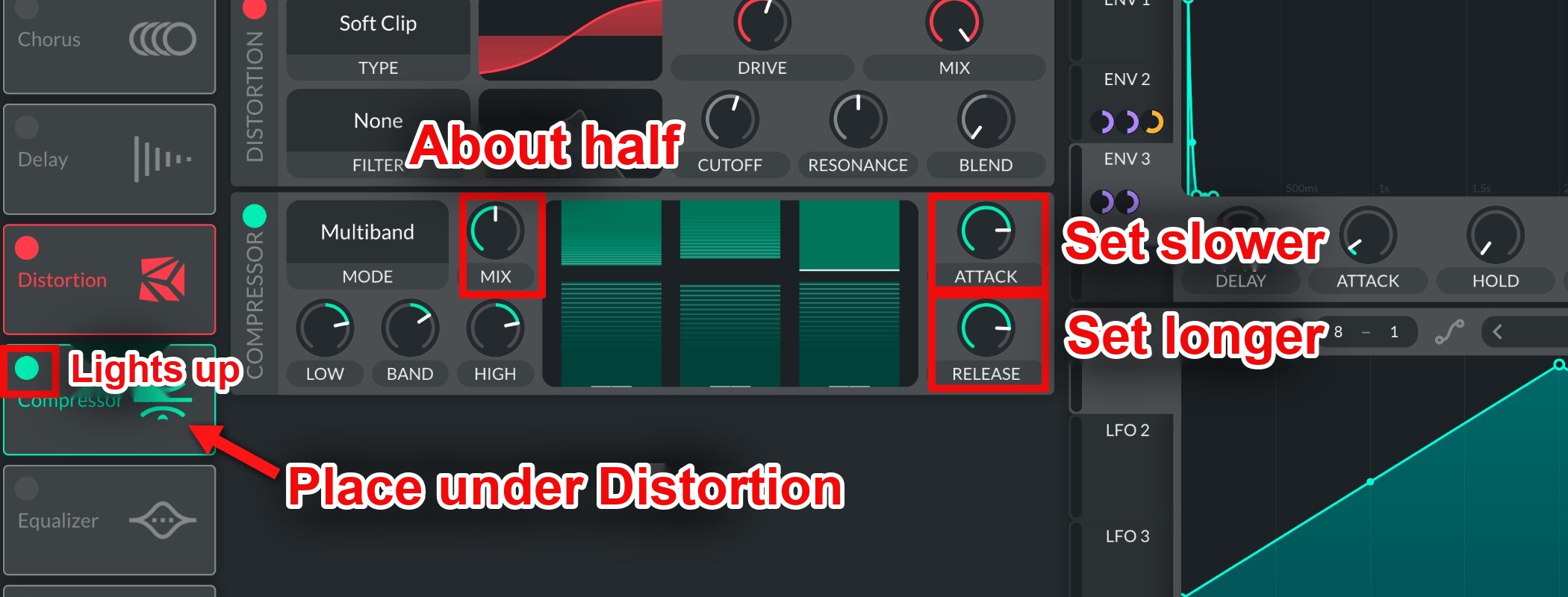
Enable Compressor and place itafter Distortionwith the following settings.
- ATTACK: Set relatively slow
- RELEASE: Set relatively long
- MIX: Set to about halfway
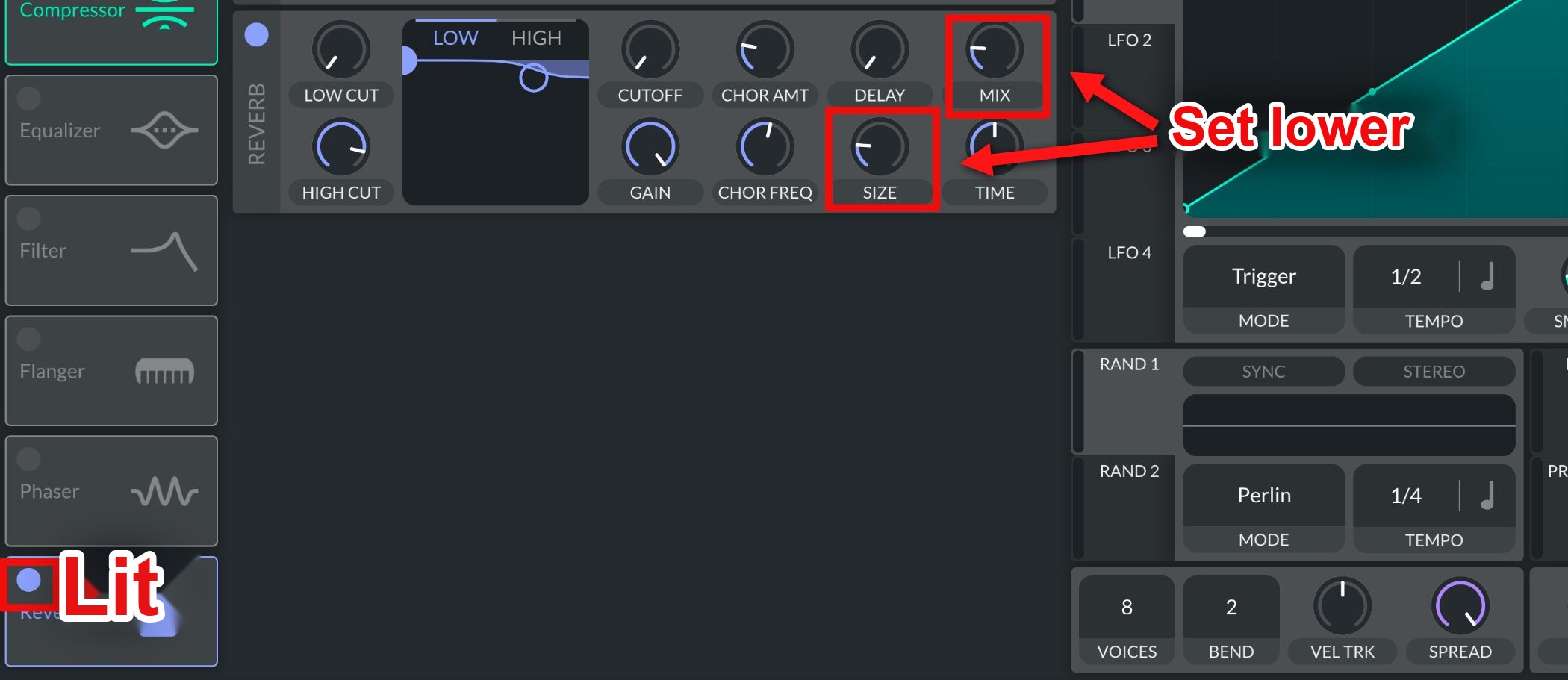
Enable Reverb and setMIX and SIZE to low valuesfor the modulating oscillator.

To finish, setOTT DEPTH to 20%and the Donk Bass is complete.
Try making it yourself and add this distinctive bass sound to your own tracks!
Frequently asked questions
Q1. What is a Donk Bass?
A Donk Bass is a metallic, sharp bass sound made with FM modulation and widely used in EDM and Vocaloid music. It is prominent in songs such as Ado’s “Odo,” and has a dynamically changing tone and strong attack.
Q2. Is Vital a paid plugin?
Vital has a free version that can make high-quality synth basses such as this Donk Bass. Paid versions offer additional features, but the free version is sufficient for the basic sound-design steps here.
Q3. How does FM modulation work here?
FM modulation uses a modulator waveform (OSC 2) to vary the frequency of a carrier waveform (OSC 1), creating complex, metallic timbres. Controlling the modulation amount with an envelope makes the tone change over time.
Q4. Can this bass sound work in other genres?
Yes. A Donk Bass can be used in pop, trap, techno, and other styles. Change its parameters to adjust the sound's character for different tracks.
NEW ARTICLES
Latest English Articles











