
iZotope's Neutron 2 and Ozone 8 form an integrated plug-in suite that greatly streamlines mixing and mastering in DTM production. The new Gate effect and the expanded Track Assistant in Neutron 2 allow finer noise control and track adjustment. Linked with Tonal Balance Control in particular, you can load a reference track and have EQ settings adjusted automatically to move closer to your ideal sound. Ozone 8's Master Assistant lets you choose Streaming, CD or a reference track and master automatically, giving you a professional finish in a short time.
Enhanced Mastering Features and Plug-in Integration
Neutron, the well-received release from iZotope, has already evolved into Neutron 2, and its integration with Ozone 8, released at the same time, has been strengthened.
In this article, we explain how this integration works while also covering the new features.
For the new features in Ozone 9, see the link below.

iZotope Neutron 2 and Ozone 8 Tutorial Video
Changes from Neutron to Neutron 2: The New Gate Effect
A Gate effect has been added to Neutron 2.
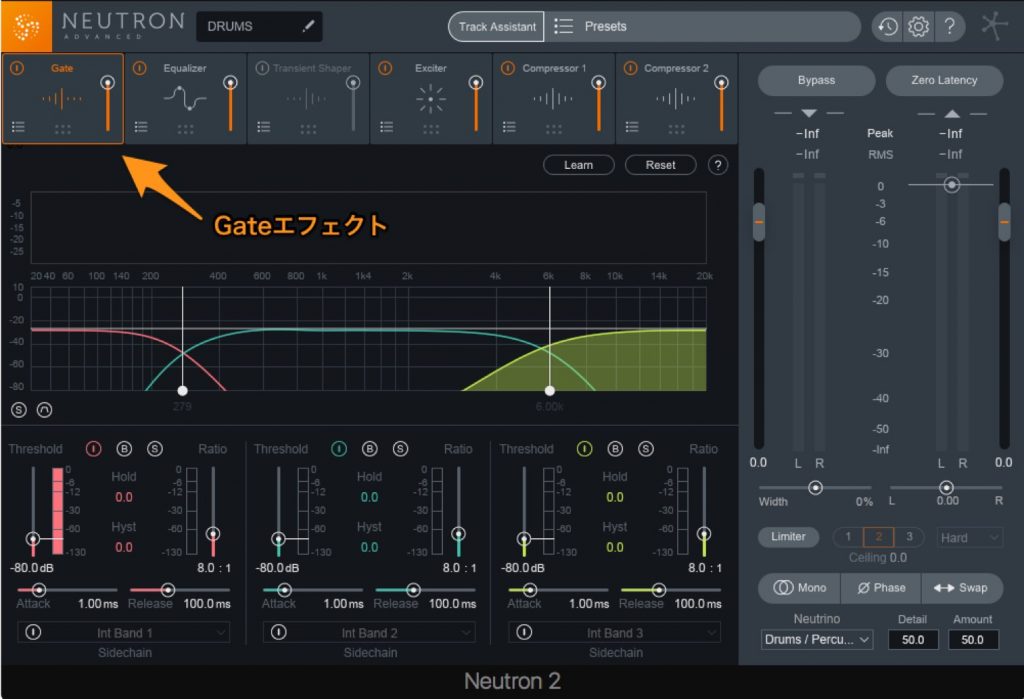
You can split the frequency range into up to three bands of your choice and set a ratio of up to 30:1 for each band, giving you a highly flexible expander.
It is very useful for tasks such as cleaning up noise on live-recorded tracks.
Instrument Selection and More in Track Assistant
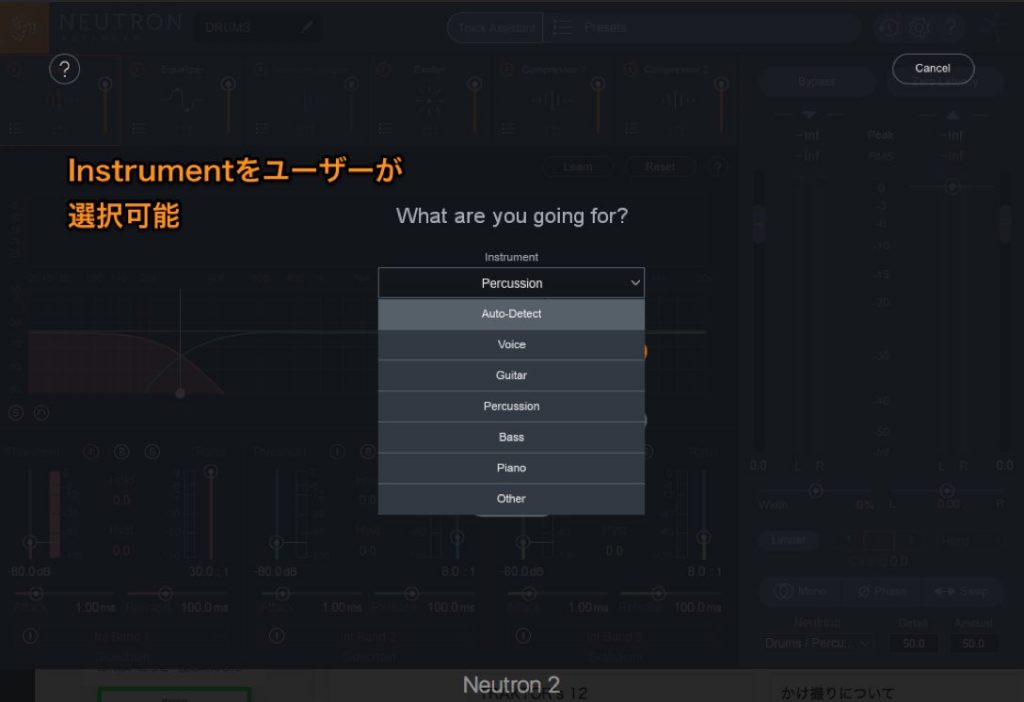
In the familiar Track Assistant, you can now choose instruments that could not be selected in the previous version.
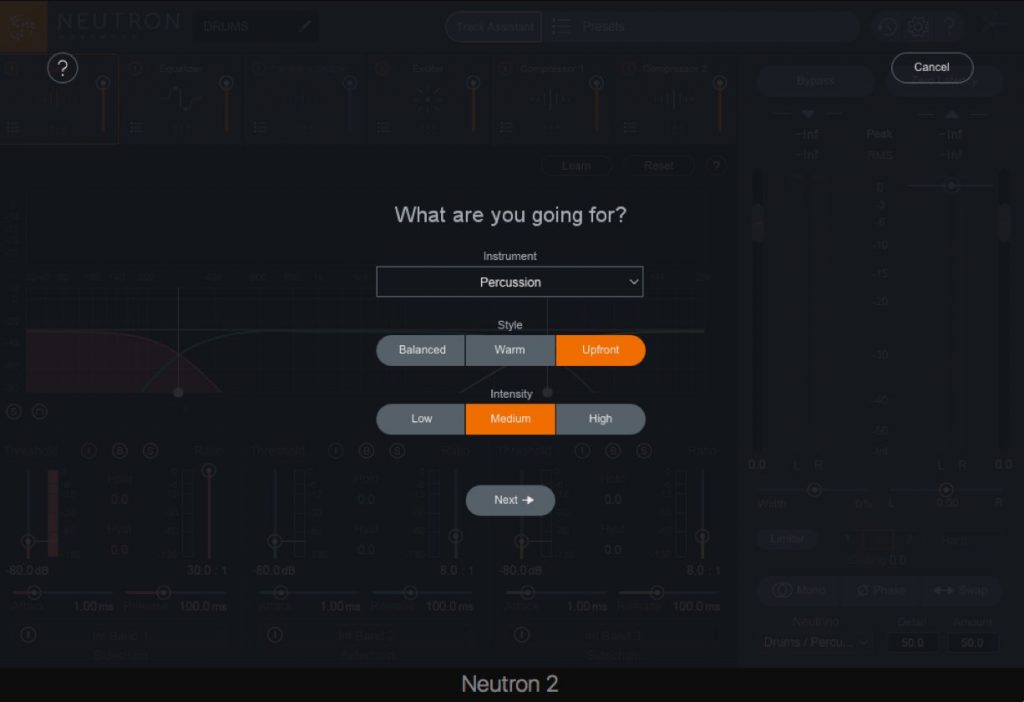
You can also now choose how bright the finished track should be, using three "Intensity" settings (Low, Medium, High).
Linking Neutron 2 with Tonal Balance Control
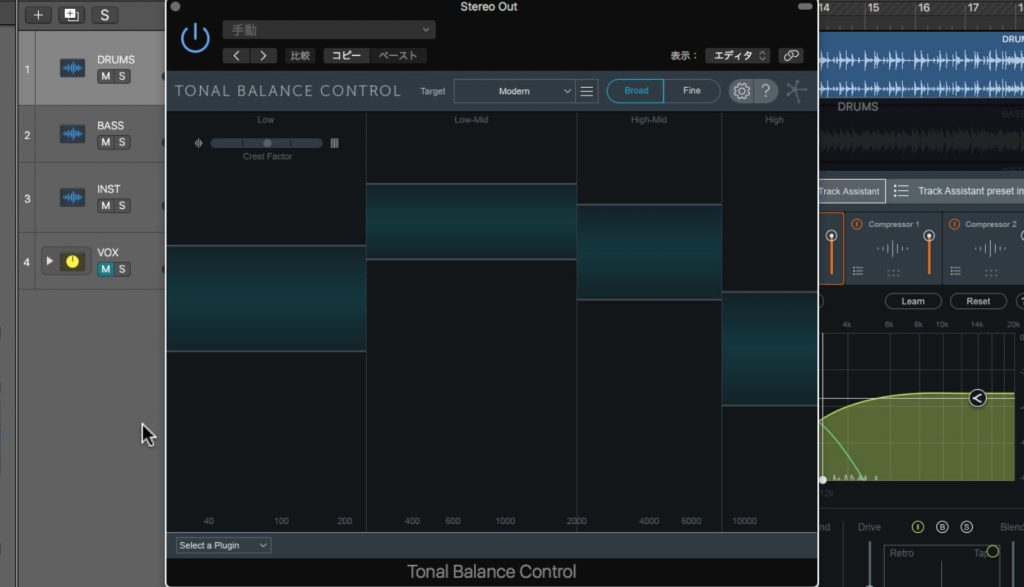
- What is Tonal Balance Control?
It is a plug-in that links with Neutron 2 and Ozone 8 so you can adjust the EQ of both Neutron and Ozone.
In addition to three target presets, you can load a reference song and adjust EQ to match the target shown on screen, bringing your mix closer to your ideal.
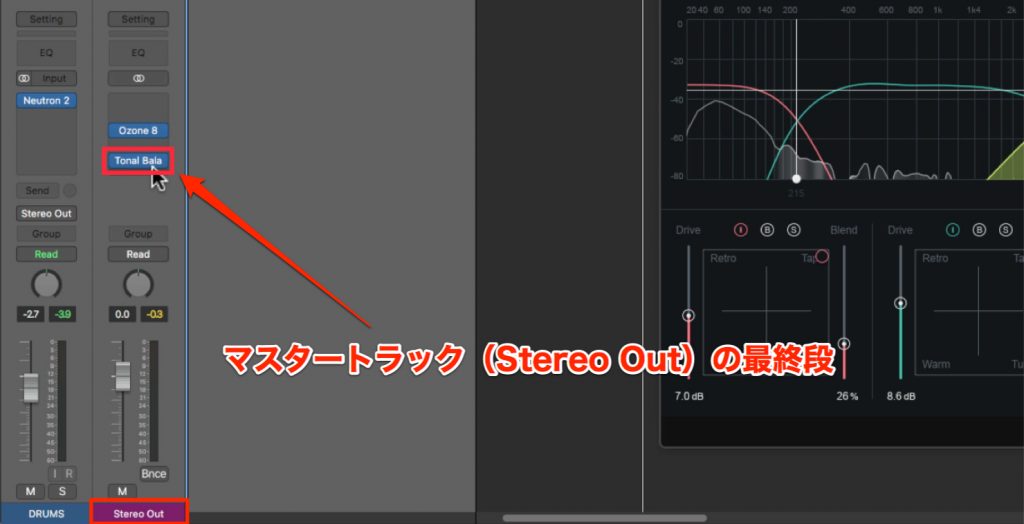
We recommend inserting Tonal Balance Control in the last slot of the master track (Stereo Out).
Loading a Target Song into Tonal Balance Control
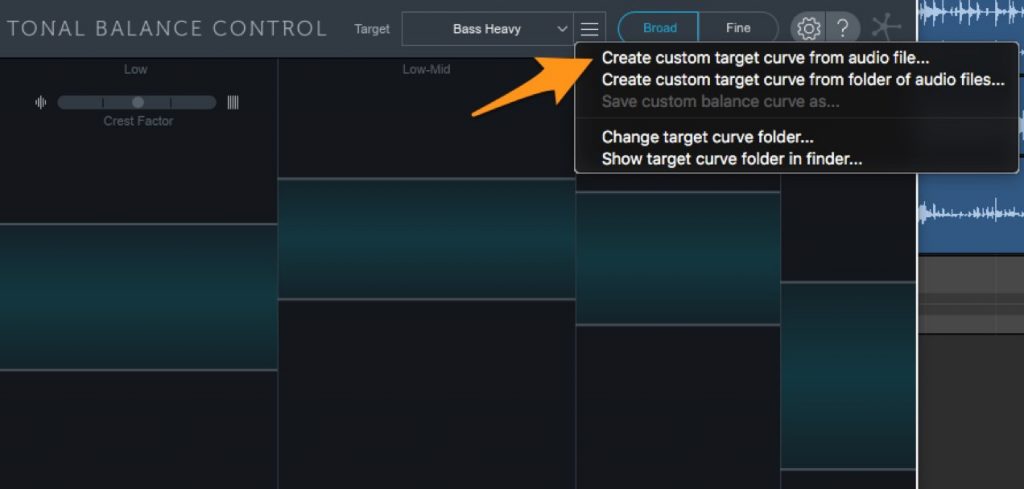
Click the "≡" button next to Target and choose "Create custom target curve from audio file...".
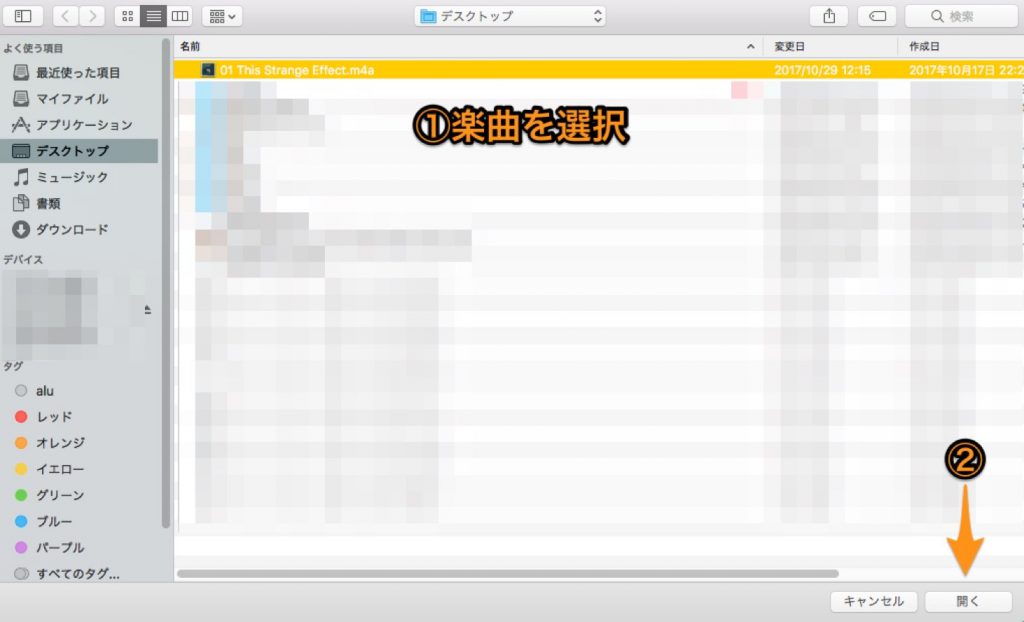
Select a song on your computer.
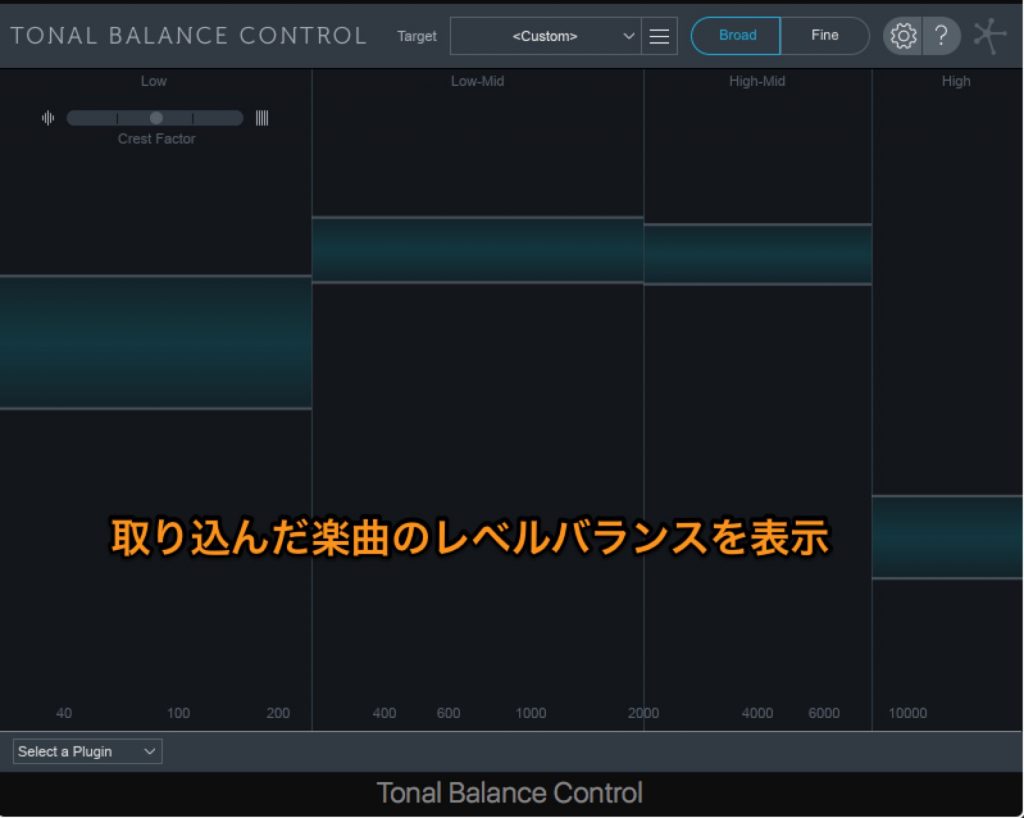
The song is analyzed almost instantly and the target is displayed.
Linking Neutron 2 (Ozone 8) with Tonal Balance Control
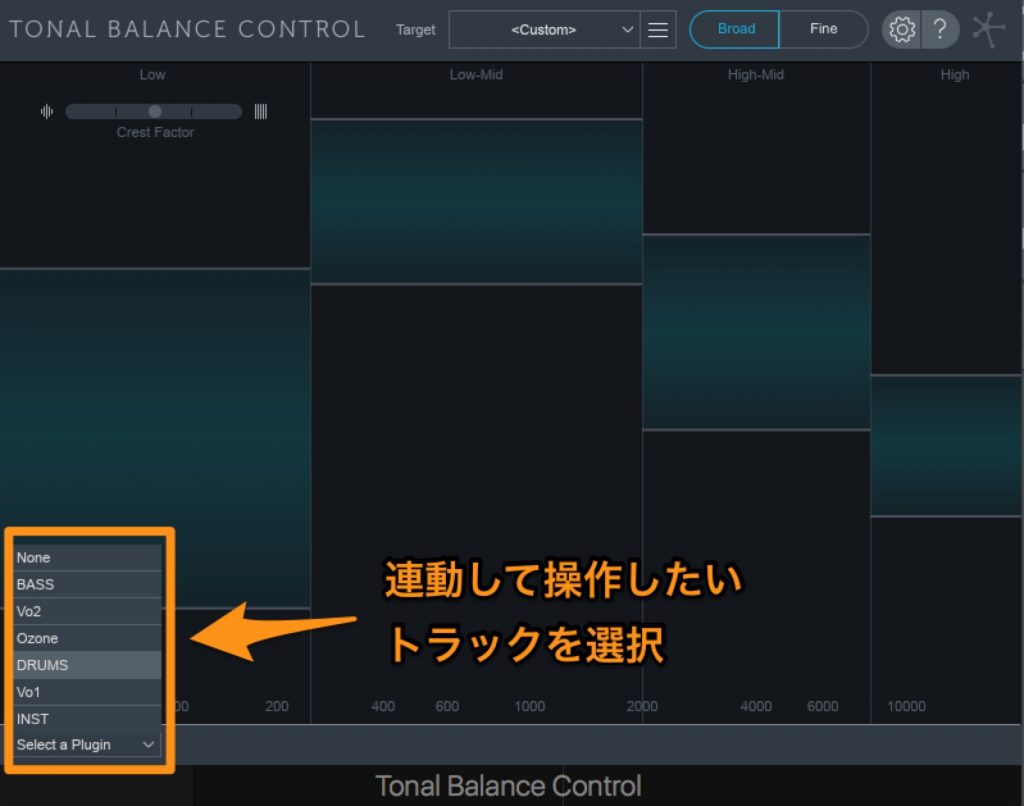
From the tab at the lower left, select the Neutron 2 track you want to link and control.
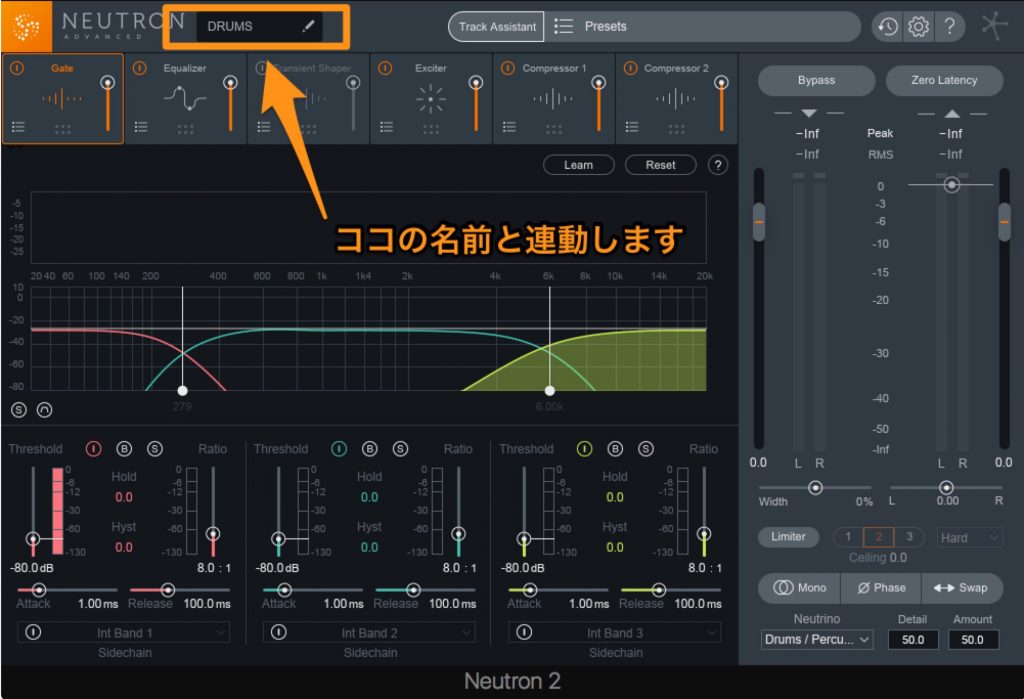
The names in this list match the names you can freely assign in Neutron 2.
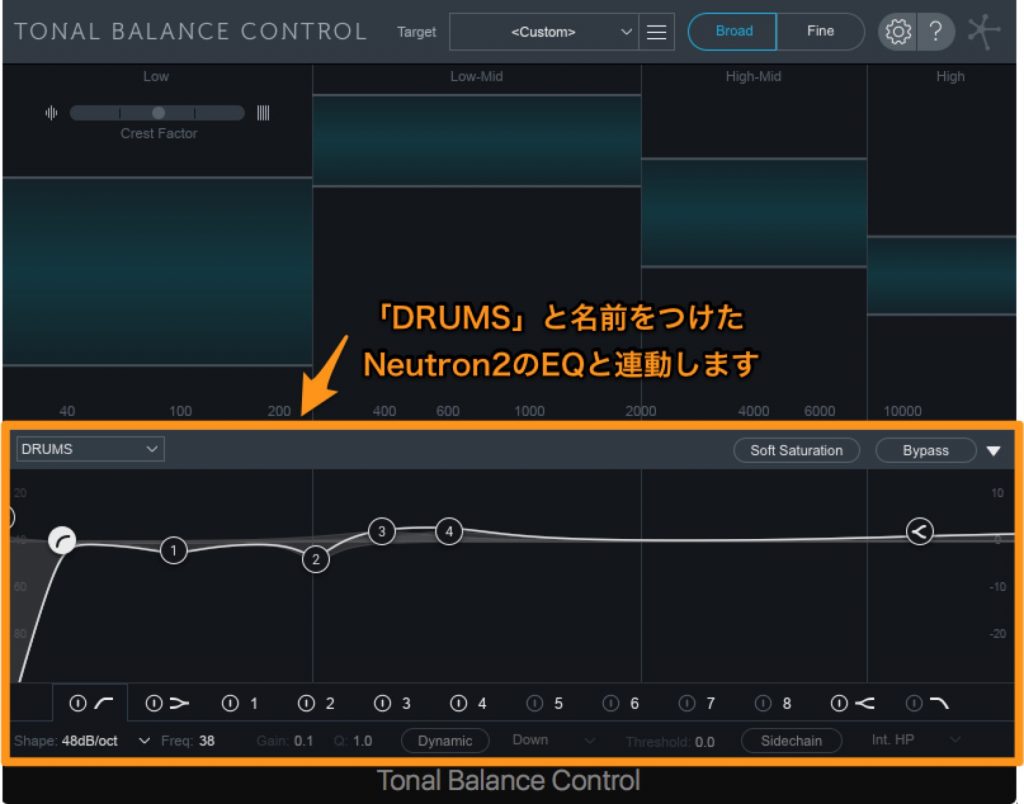
The EQ shown at the bottom of Tonal Balance Control is linked to the EQ in Neutron 2, so you can adjust a track's EQ while referring to the level balance in Tonal Balance Control (inserted on the master).
Ozone 8's Master Assistant
- What is Master Assistant?
It is an "automatic mastering feature" that sets parameters automatically after you choose a finishing target from three options: Streaming, CD or Reference.
Using It with a Reference Track
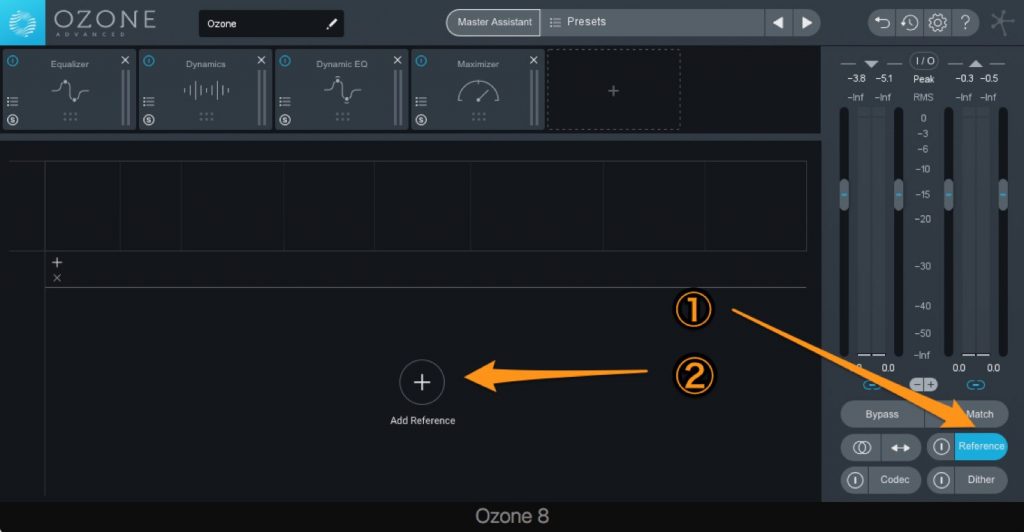
Select the Reference button at the lower right of the main window, then press "ADD" at the bottom center of the window.
Select a song on your computer.
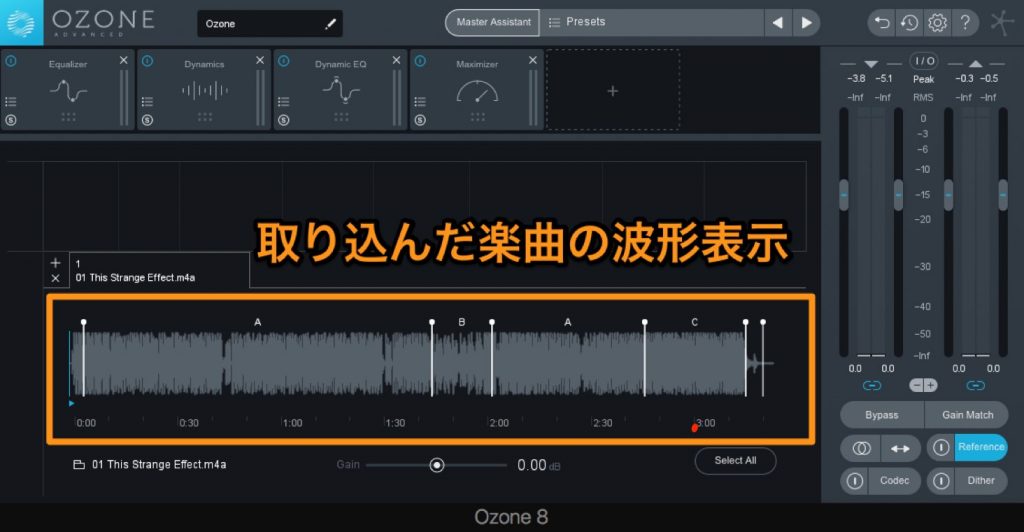
The song is loaded, its waveform appears at the bottom center of the window, and a loop section is set automatically.
*You can add loop points by right-clicking on the waveform and choosing "Insert Loop".
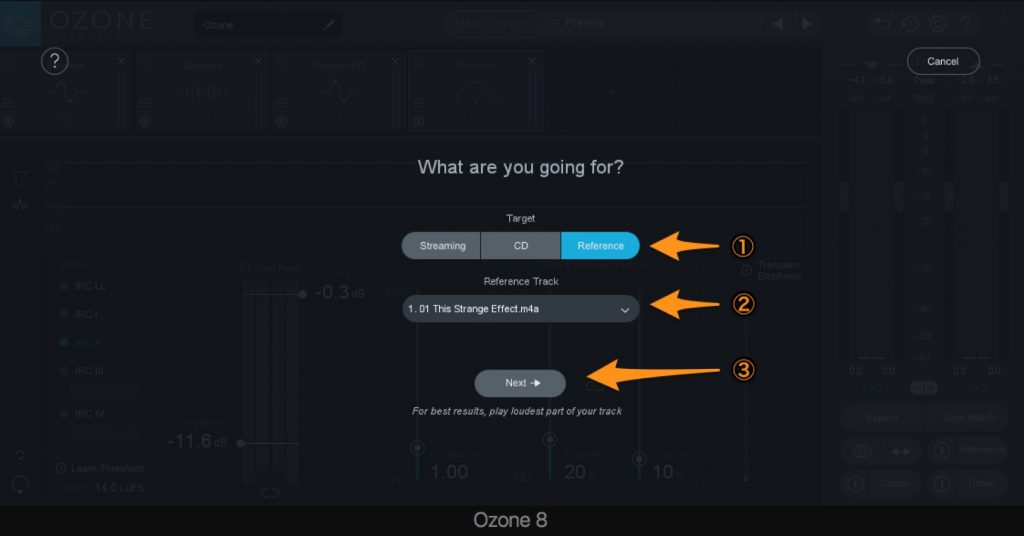
In Master Assistant, select Reference, choose the Reference Track and click Next.
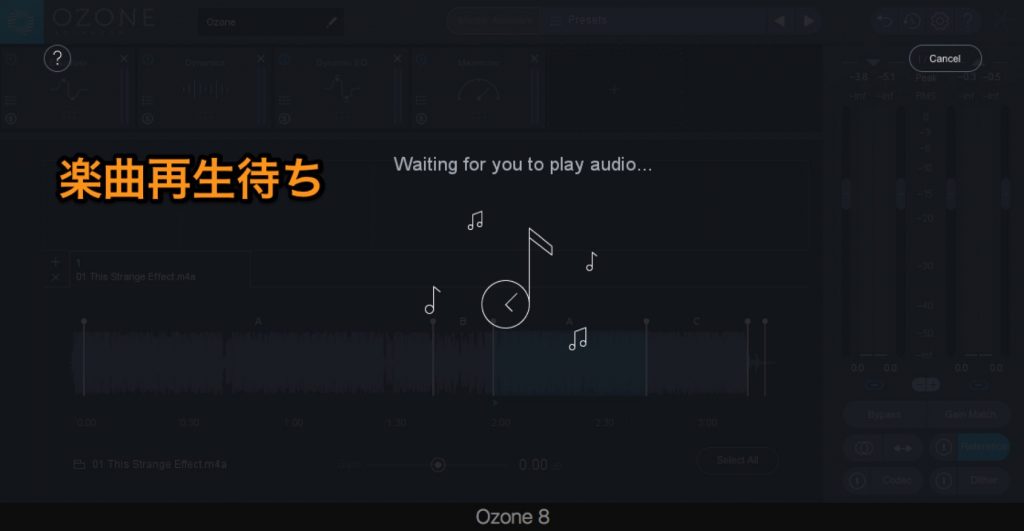
Master Assistant goes into standby, so play your song.
Each effect parameter is then set automatically to match the reference.
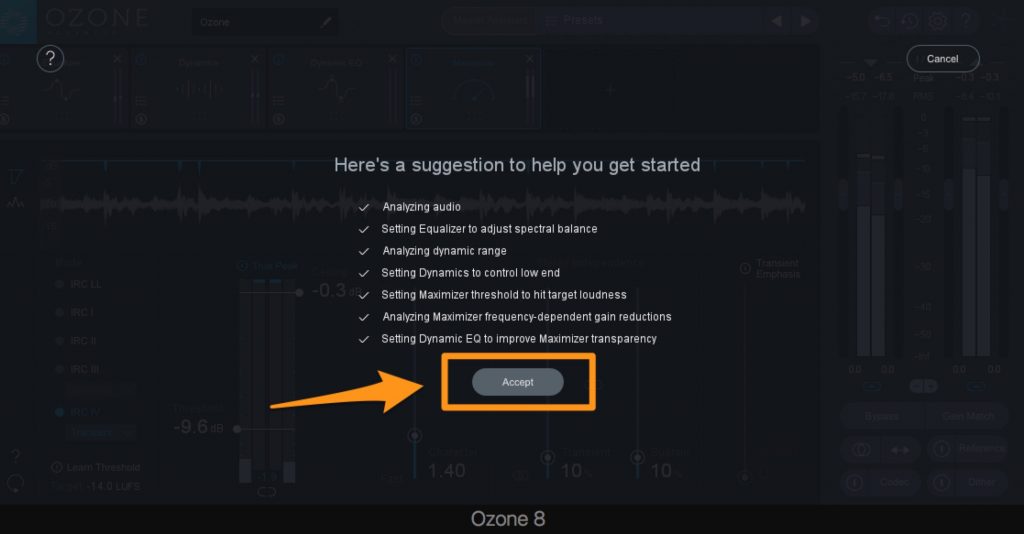
When the settings are complete, click "Accept" to apply them.
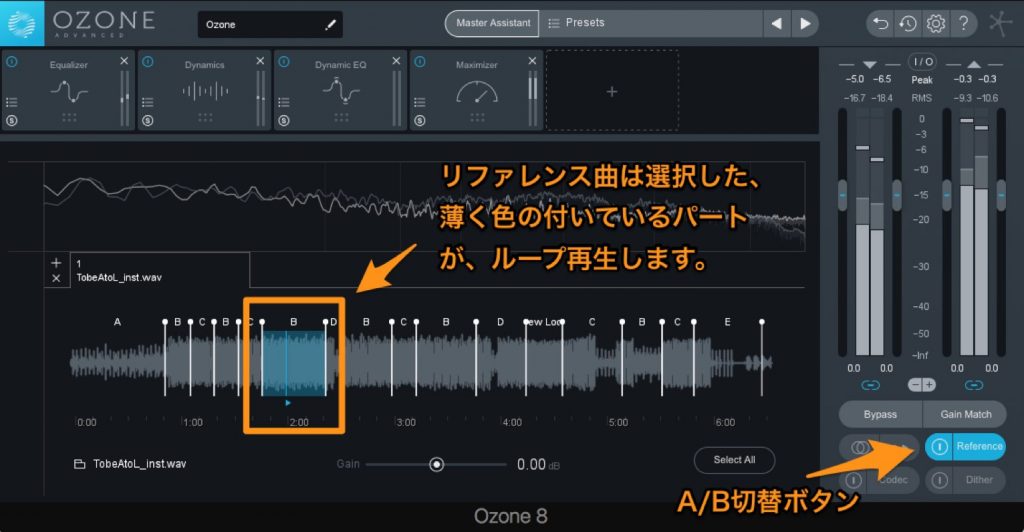
While the song plays, you can instantly switch to the selected loop section of the loaded reference by toggling the switch to the left of the Reference button.
As you can see, Neutron 2, Ozone 8 and Tonal Balance Control work together seamlessly and are packed with features that greatly reduce your workload, so they are extremely useful for mixing and mastering.
Why not bring them into your own production setup?
Frequently Asked Questions
Q1. What is the difference between Neutron 2 and Ozone 8?
Neutron 2 specializes in mixing individual tracks and includes the Gate effect and Track Assistant. Ozone 8, on the other hand, offers an automatic mastering feature (Master Assistant) for the master track and excels at final loudness and balance adjustment.
Q2. How do I use Tonal Balance Control?
Insert it in the last slot of the master track and load a reference track to create a target curve. By adjusting the EQ in Neutron 2 and Ozone 8 to match this target, you can efficiently get a sound close to the reference.
Q3. What are the benefits of using Master Assistant?
Automating mastering lets you reach professional-level sound adjustment without specialist knowledge. With automatic settings for Streaming, CD or your own reference track, you can achieve ideal mastering without spending much time.
NEW ARTICLES
Latest English Articles











