
"Logic Remote", a new feature of Logic Pro X, is a free app that lets you control music production parameters from an iPad. This article explains in detail the simple way to download it from the App Store on your iPad. Making use of Logic Remote's rich features improves production efficiency and lets you build a more comfortable DTM environment. Just follow the step-by-step video guide and anyone can set it up in a few minutes; it is likely to become an essential tool for Logic users.
Control Logic Pro X parameters from your iPad [Logic Remote]

With Logic Pro X, a free app called "Logic Remote" has been added for the iPad.
The app is free, but it is very feature-rich.
Some Logic users may even find themselves wanting an iPad.
First, we will show you in a video how to download "Logic Remote".
Logic Pro X new features: article index
0_How to download
1_Overview and settings
2_Drummer
3_Flex Pitch
4_Track Stack
5_Smart Control
6_Arrangement Marker
7_How to download Logic Remote *This article
8_Logic Remote in practice
*Normally the iPad screen is not shown in a Mac window
Video point: Downloading from the App Store on the iPad
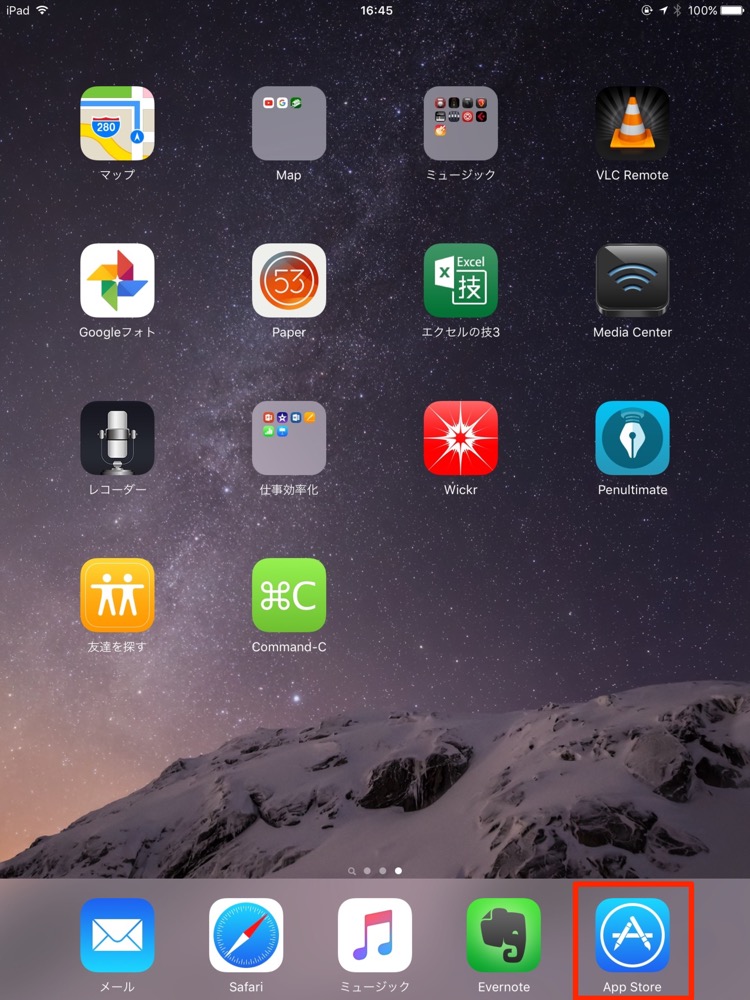
First, tap "App Store" on the iPad.

Next, use search. Enter "Logic".

"Logic Remote" is displayed like this.
Tap "Get", enter your "password" and press "OK", and the download begins.

The "Logic Remote" app now appears on the iPad like this.

Frequently Asked Questions
Q1. Can Logic Remote really be downloaded for free?
Yes, Logic Remote is a free official Apple app. You can download it for free from the App Store, with no additional charges. However, you need an environment with Logic Pro X installed on a Mac.
Q2. Can Logic Remote be used on devices other than the iPad?
Logic Remote is an app for the iPad and iPhone. It does not support Android devices. You can download it from the App Store on your iPad or iPhone.
Q3. Can I use Logic Remote right after downloading it?
Some basic setup is needed after downloading. Detailed usage is explained in the separate article "Logic Remote in practice", and following the setup steps lets you connect and operate it.
NEW ARTICLES
Latest English Articles











