
Using Logic Pro's "External Instrument" feature, you can treat a hardware synthesizer in the same way as a soft synth. This lets you insert plug-in effects directly on the hardware synth's sound, and also makes it possible to run several hardware synths at the same time. Proper MIDI interface and audio interface settings are required, and real-time mode is recommended when bouncing. It is an essential technique for producers who want both the usability of a DAW and the sound quality of hardware synths.
Use a hardware synth like a soft synth in Logic
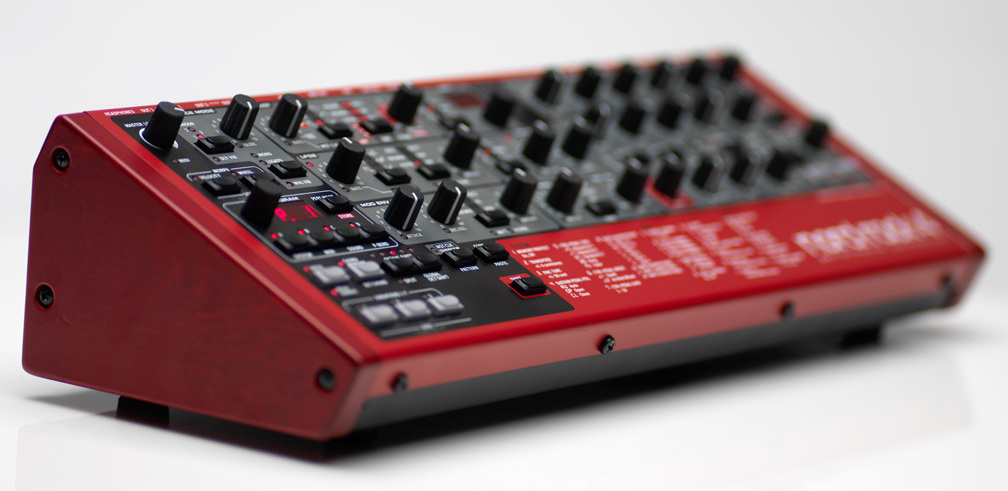
This is a feature we especially want people using hardware synths to know about.
It lets you use insert plug-ins on the hardware synth's sound.
Reading the following beforehand will help you understand this article more deeply.
Video Tutorial
Notes on the video
- If "GM Device" is not shown in External Instrument,
try again after creating a "MIDI track". - External MIDI does not support offline bouncing.
Always bounce in "Realtime".
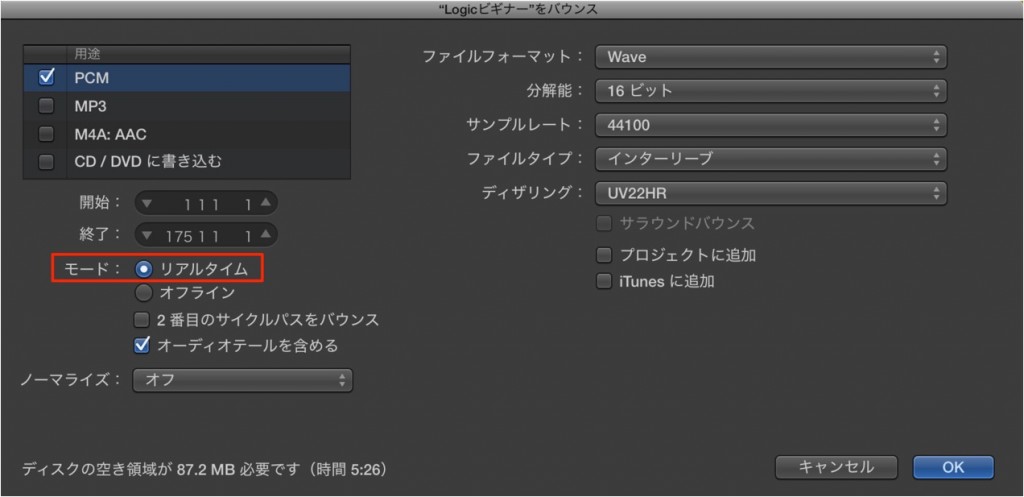
Video point: Launching and setting up
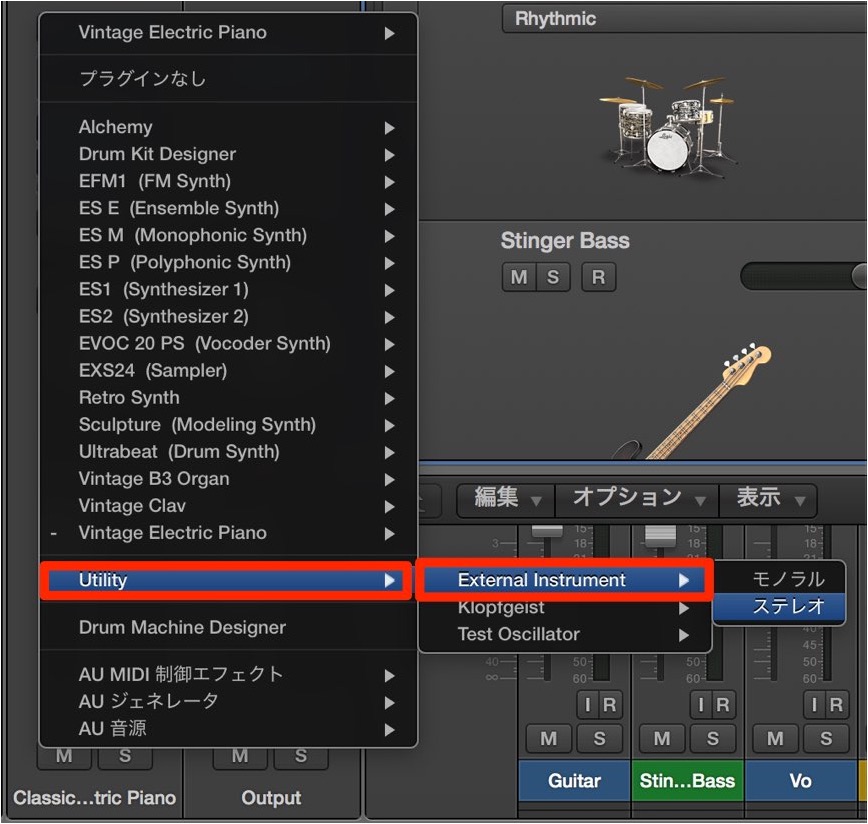
From the instrument slot of a "Software Instrument" track,
launch "External Instrument".
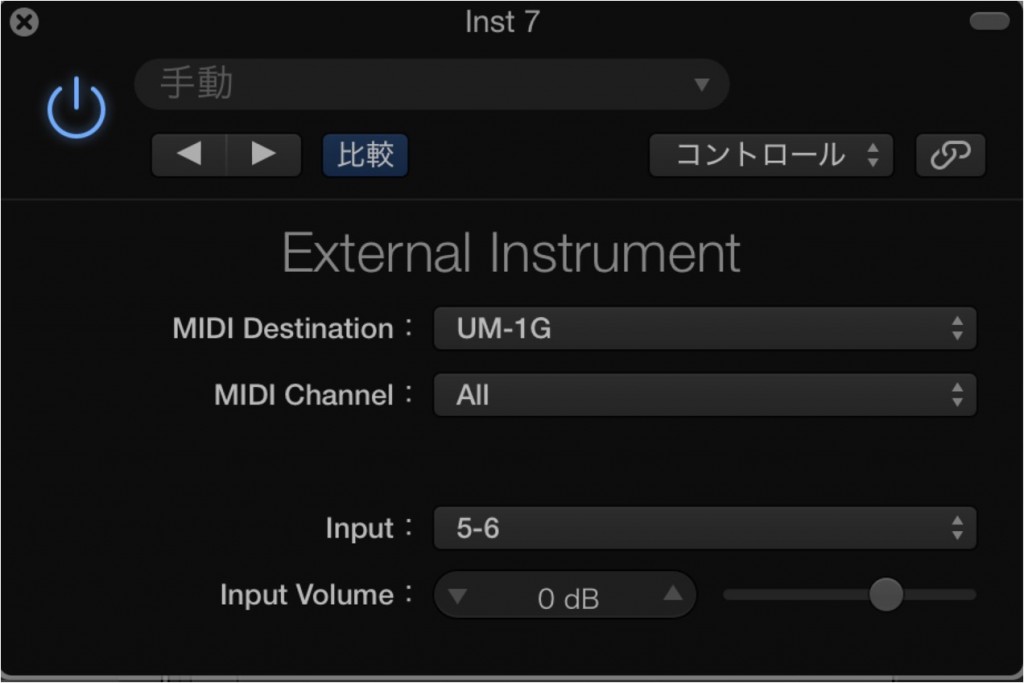
- MIDI Destination: select your MIDI interface
- Set Input to the audio interface channel that the hardware synth is connected to
What if there is no sound when bouncing?
If the hardware synth does not sound when bouncing,
export in "Realtime".
Video point: Launching multiple instances
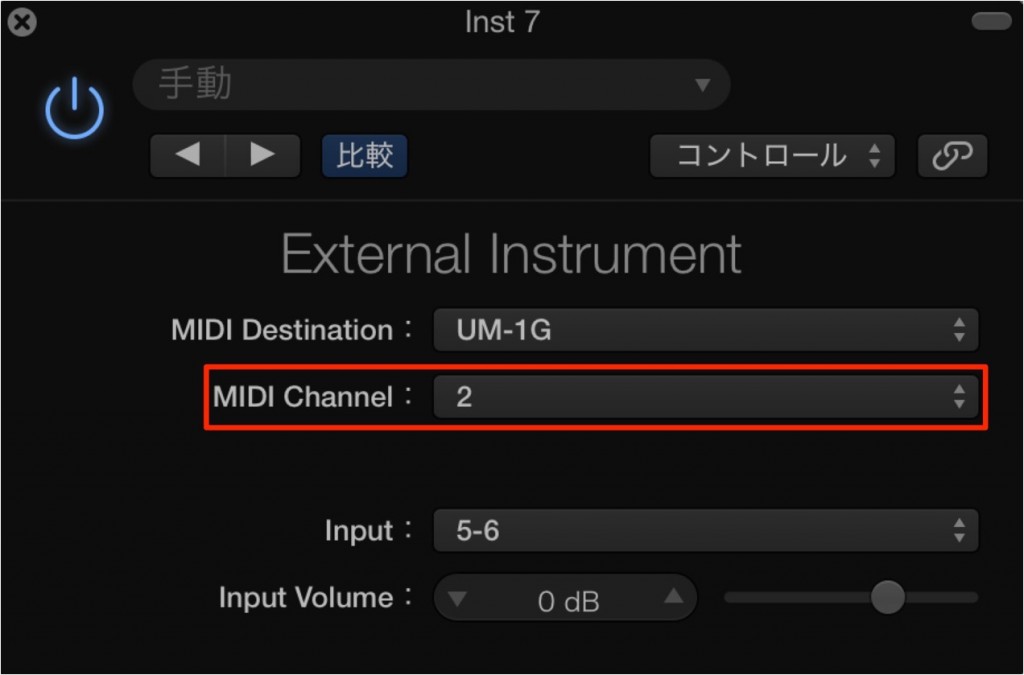
You can also create multiple tracks and assign channels to them.

Frequently Asked Questions
Q1. What should I do if External Instrument does not appear in Logic Pro?
First, create a new MIDI track. Then launch External Instrument from the instrument slot of a Software Instrument track, and GM Device will be displayed.
Q2. Why does the hardware synth not sound when bouncing?
External Instrument does not support "offline bounce". Always export in "Realtime" mode when bouncing.
Q3. Can I use multiple hardware synths at the same time in Logic Pro?
Yes. By creating multiple tracks and assigning a different MIDI channel in each track's External Instrument, you can run several hardware synths at the same time.
Q4. What are the important settings in External Instrument?
The most important things are to select your MIDI interface in MIDI Destination and to set Input to the audio interface channel the hardware synth is connected to.
NEW ARTICLES
Latest English Articles











