
Programming convincing guitar parts can be especially challenging. Crunch tones, which sit between clean and heavily distorted sounds, depend on subtle playing nuances and careful instrument selection. This article compares Ample Guitar TC, Evolution Texas Twang and Shreddage 3 Telos using relatively simple MIDI programming. Through amp-gain settings, velocity-dependent tone changes and techniques such as power chords, we explore the strengths of each instrument and how they suit different workflows. The comparison reflects the versions tested for the original March 2024 article.
Programming crunch guitar: techniques and instrument comparison
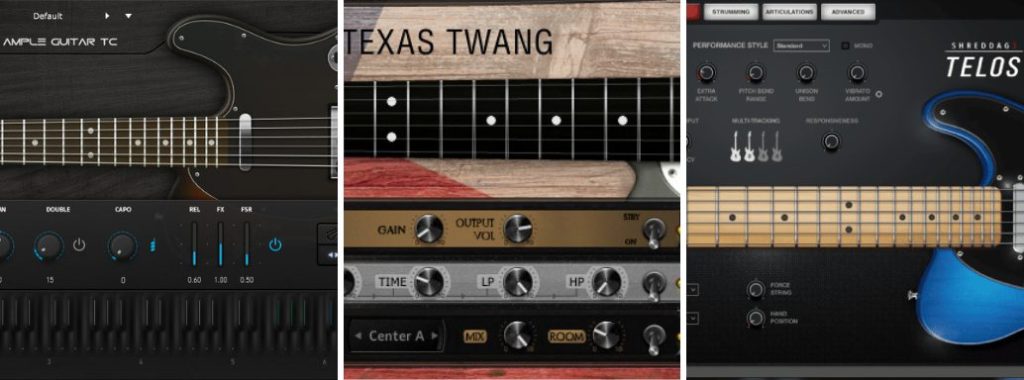
Guitar is one of the most difficult instruments to recreate convincingly with MIDI in a DAW.
In particular, crunch tones, which sit between clean and distorted sounds, depend heavily on expressive nuances and require careful adjustment to sound realistic.
Here, we explore the character and appeal of crunch guitar, then compare three virtual guitars while explaining ways to recreate that sound through programming.
Three Virtual Guitar Instruments Compared: Video
What we are comparing
This comparison focuses on rock guitar with a crunch tone. We investigate how realistic each instrument can sound with relatively simple programming.
Controlling MIDI CC, timing, velocity and other details note by note can make guitar programming more convincing, but it also takes a great deal of time.
For this test, we concentrate on:
- Controlling the playing position on the fretboard.
- Making active use of built-in programming aids.
- Using basic articulations such as hammer-ons and slides.
To balance effort and sound quality, we use these three approaches while keeping the programming as simple as possible.
What is a crunch tone?
Let's first clarify the sound at the center of this comparison.
Crunch is a lightly overdriven sound that falls between a clean tone and a more heavily distorted one.
Electric guitar crunch tone
Compared with heavier distortion, it reveals more of the dynamics and picking nuances. That makes it harder to program expressively and places greater demands on the virtual instrument.
The guitar instruments in this comparison
We selected three instruments using two criteria:
- Each library samples a Telecaster-style guitar.
- Each cost less than US$200 at the time of the original comparison.
All three met those conditions for this test.
Ample Sound: Ample Guitar TC

Ample Sound's Ample Guitar series is known for its high-quality virtual guitar instruments.
For this comparison, we use the model based on a Telecaster.
Its many programming aids, including Strummer and Riffer, allow detailed control over performance nuances when used effectively.
Orange Tree Samples: Evolution Texas Twang

Orange Tree Samples' Evolution series is popular for making high-quality guitar sounds relatively easy to achieve.
Texas Twang allows detailed performance settings, including octave articulations and adjustments to the picking position.
Impact Soundworks: Shreddage 3 Telos

Impact Soundworks' Shreddage series is highly regarded for its pursuit of realistic virtual guitar sounds.
One of its distinctive features is Ringing, which recreates incidental contact with other strings during a performance and can make the result more lifelike.
We will compare all three using settings suited to programming crunch guitar.
Amp settings
First, let's look at amp settings, an important part of creating a crunch guitar tone.
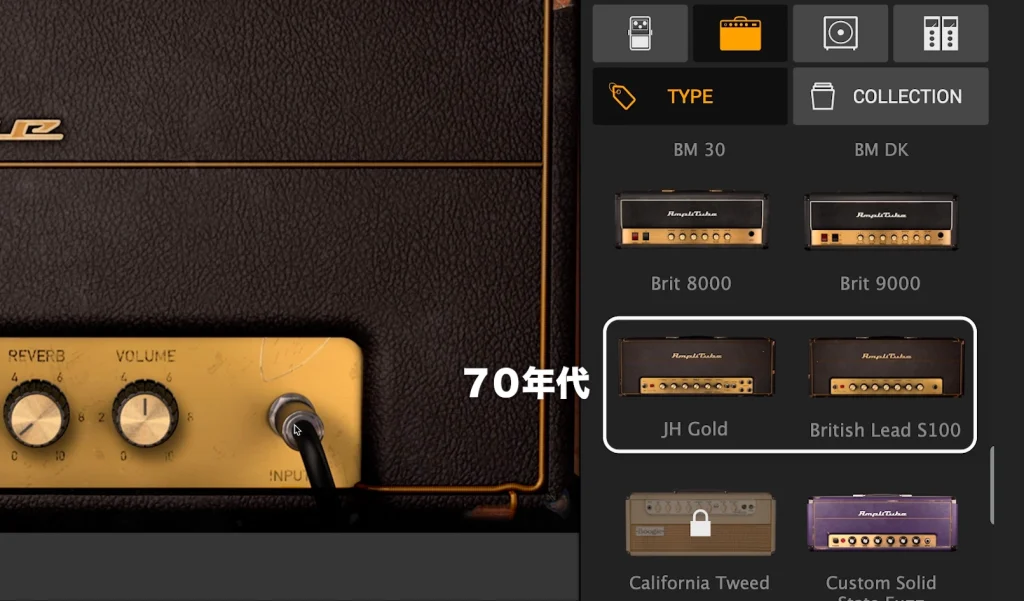
For the demos, we use a vintage Marshall-style amp, a classic choice for crunch sounds.
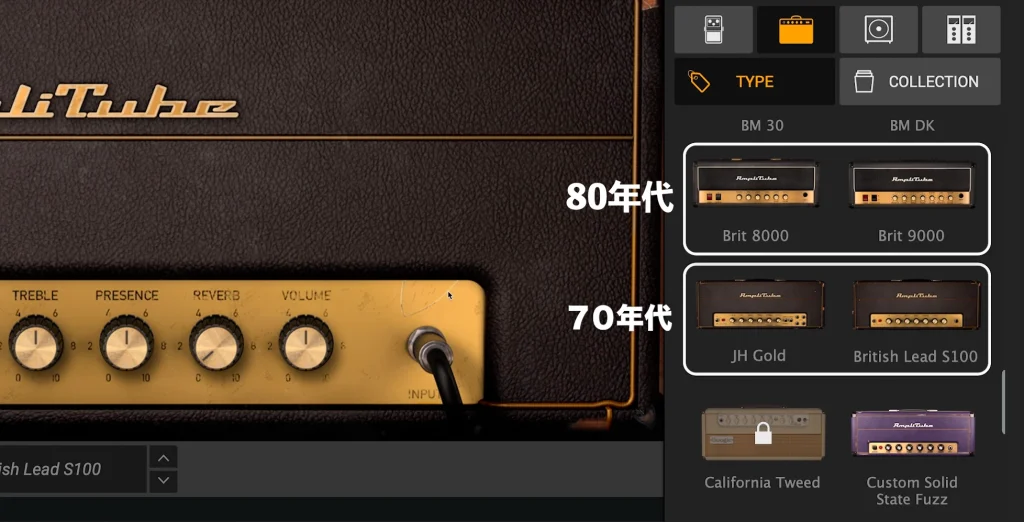
Even within the Marshall family, models from the 1980s onward can become grainier and heavier as gain increases, so choose the model with care for this particular sound.
Keeping the amp gain under control is also essential.
Too much gain compresses and flattens the sound, obscuring the expressive nuances that make crunch guitar distinctive.
Aim for audible overdrive at high velocities and a cleaner sound at low velocities. Set the gain so the performance can move between those characters.
Light picking
Strong picking
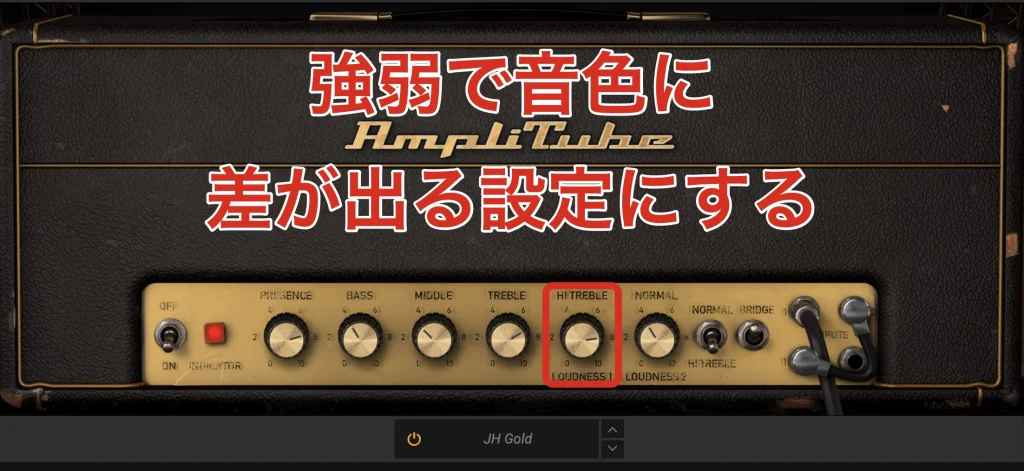
The key is to make the tone respond noticeably to playing dynamics while keeping the same amp settings.
Recreating power chords
Power chords are an essential part of rock guitar playing.
First, listen to a real guitar performance.
Power chords: live guitar
All three instruments can reproduce power chords, but their programming approaches differ.
Ample Guitar
Ample Guitar provides power-chord programming through Strummer and Riffer.
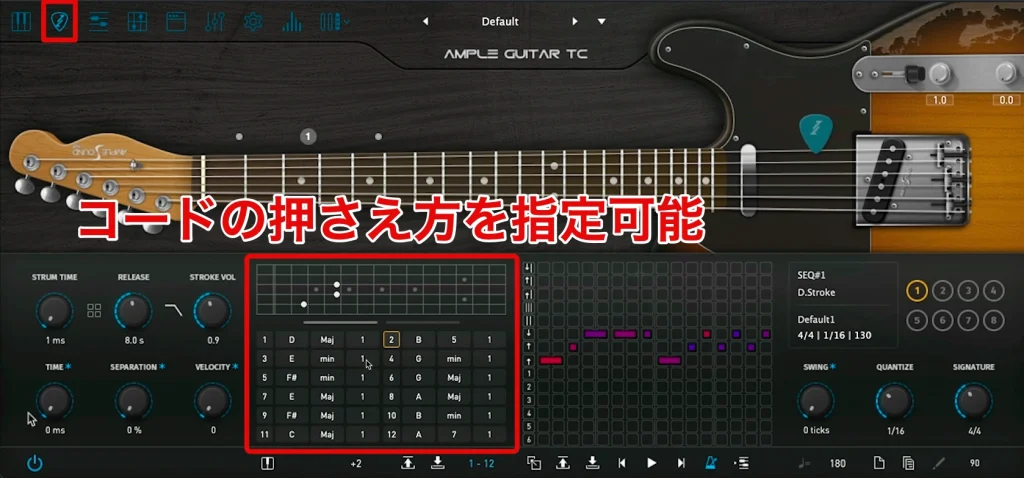
Strummer lets you specify chord voicings and strumming patterns.
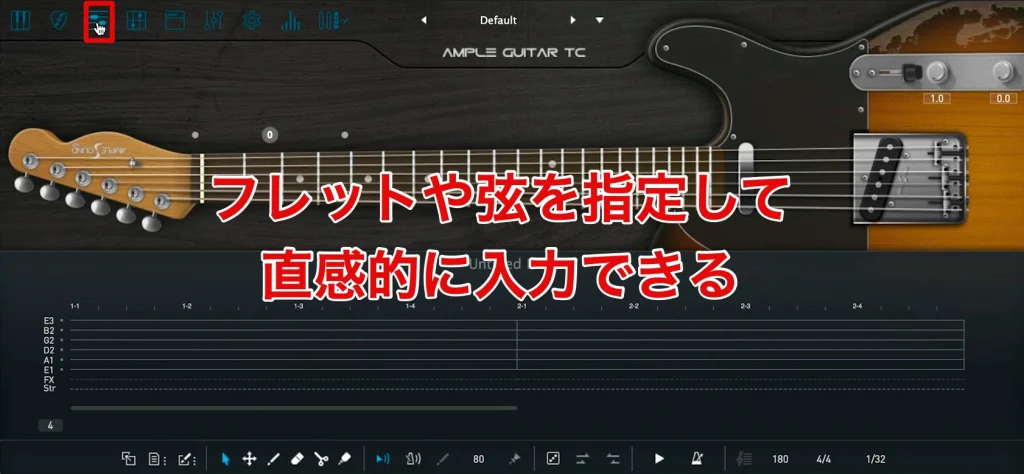
Riffer also lets you set articulations and legato for individual notes, making it possible to recreate details such as slides within power-chord phrases.
However, because its input follows the layout of an actual guitar, some knowledge of the instrument is helpful.
Of the instruments compared, we found Ample Guitar particularly good for quick, detailed performance control. That is one of its main strengths.
Power chords: Ample Guitar
Entering the performance was very straightforward, although we felt that the available degrees of muting were relatively limited.
When using settings intended for left/right guitar doubling, we also noticed a machine-gun effect: repeated notes sounded too much like the same sample retriggering.
Evolution
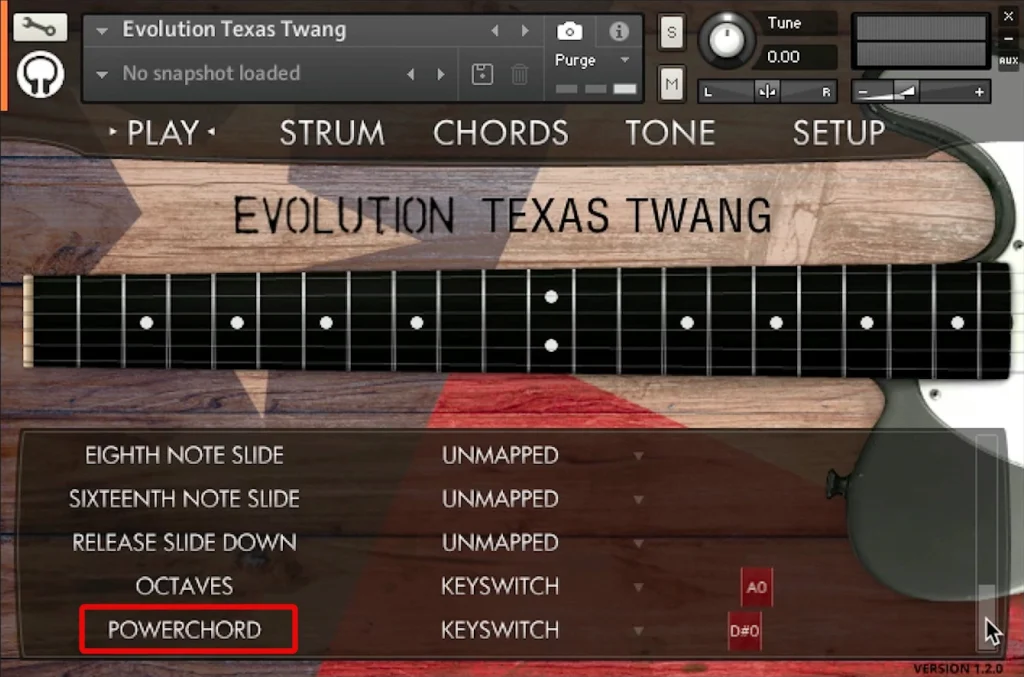
Evolution includes a dedicated articulation suited to power chords.
It does not have an equivalent to Ample Guitar's Riffer for assisting this type of programming, so slides require manual work.
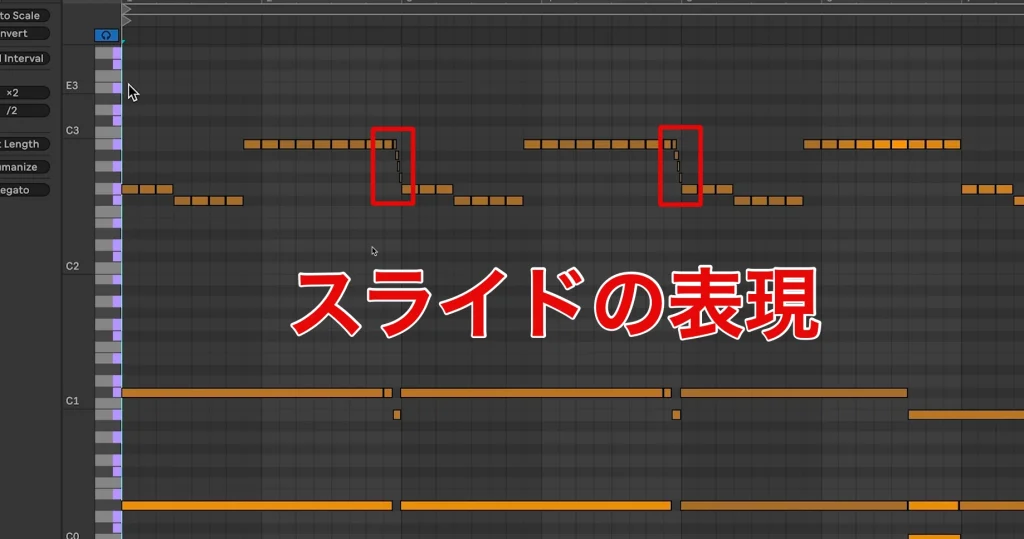
However, the softer attack of the hammer-on articulation let us approximate a sliding phrase by overlapping notes.
Power chords: Evolution
Although the tone itself felt realistic, we encountered the machine-gun effect in several places during this test.
Our impression was that this might reflect Texas Twang's focus on styles beyond rock, rather than a rock-specific design.
Shreddage

Shreddage includes a power-chord articulation, but we could not produce slides within the power chords using the workflow tested.
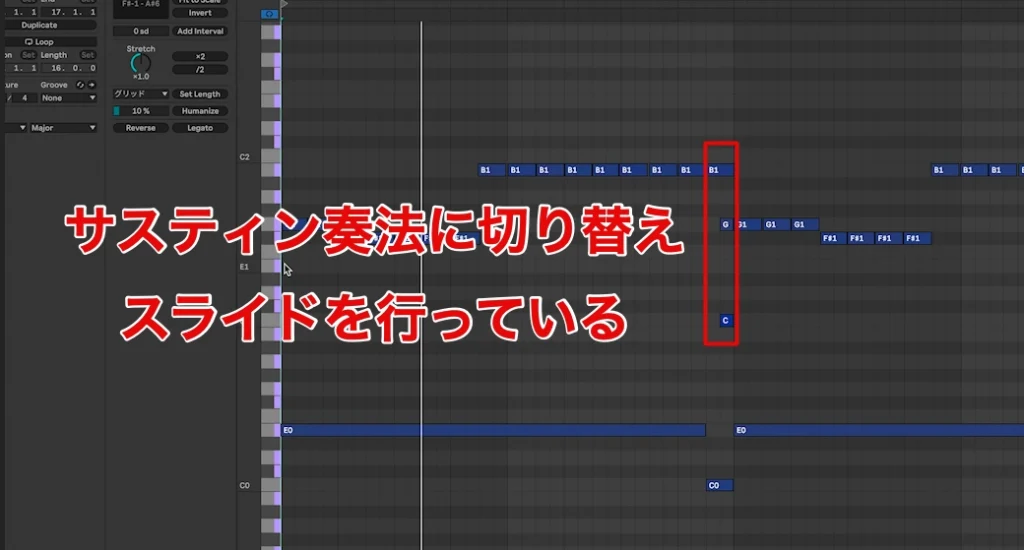
We tried successive hammer-ons, but they did not create a natural slide. Instead, at the slide, we temporarily switched to a sustained articulation and used a single-note slide.
Compared with the other two products, this meant managing more details in the piano roll and took more programming effort.
Power chords: Shreddage
On the other hand, repeated notes sounded natural, without the machine-gun effect we noticed in the other two instruments.
Recreating strumming
Strumming means playing across several strings to sound a chord or other group of notes.
It is a basic accompaniment technique in many genres, on both electric and acoustic guitar.
Strumming: live guitar
Each of the three instruments takes a different approach to reproducing strums.
Ample Guitar
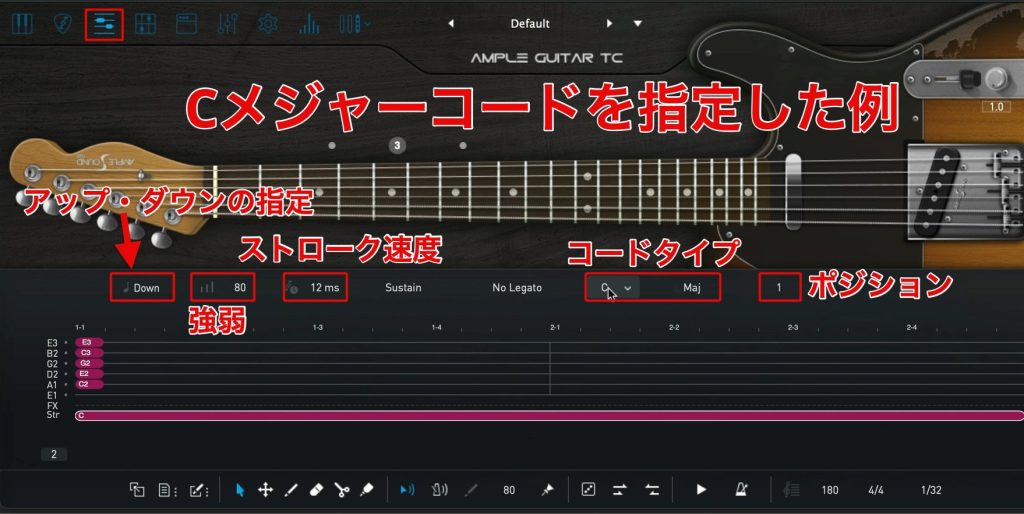
As with power chords, both Strummer and Riffer can be used. Riffer provides clear visual control over which strings are played, the speed of the strum and its dynamics.
We did find limits to the number of measures visible at once and to playback-position control. Working one or two measures at a time helped us overcome those difficulties.
Strumming: Ample Guitar
With Riffer, it was relatively easy to achieve nuances close to the live performance.
Evolution

Evolution includes a wide selection of strumming patterns.
Its strum engine lets you specify the speed and the strings played in detail, then save those settings as a pattern.
A saved pattern can be triggered with a single note in the DAW's piano roll. We felt that this combined detailed control with ease of use.
Strumming: Evolution
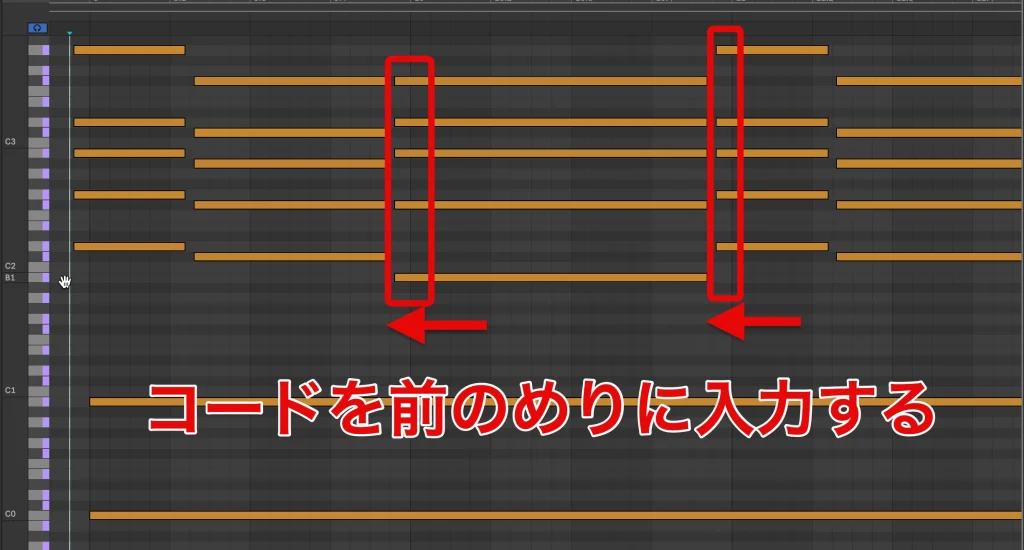
However, when a chord change and a strum were entered at exactly the same time, the strum could begin before the chord had changed, causing an interruption.
As with a guitarist preparing the next chord, you need to place the chord-selection notes slightly ahead of the change. This can make copying and pasting whole events or regions less convenient.
Shreddage
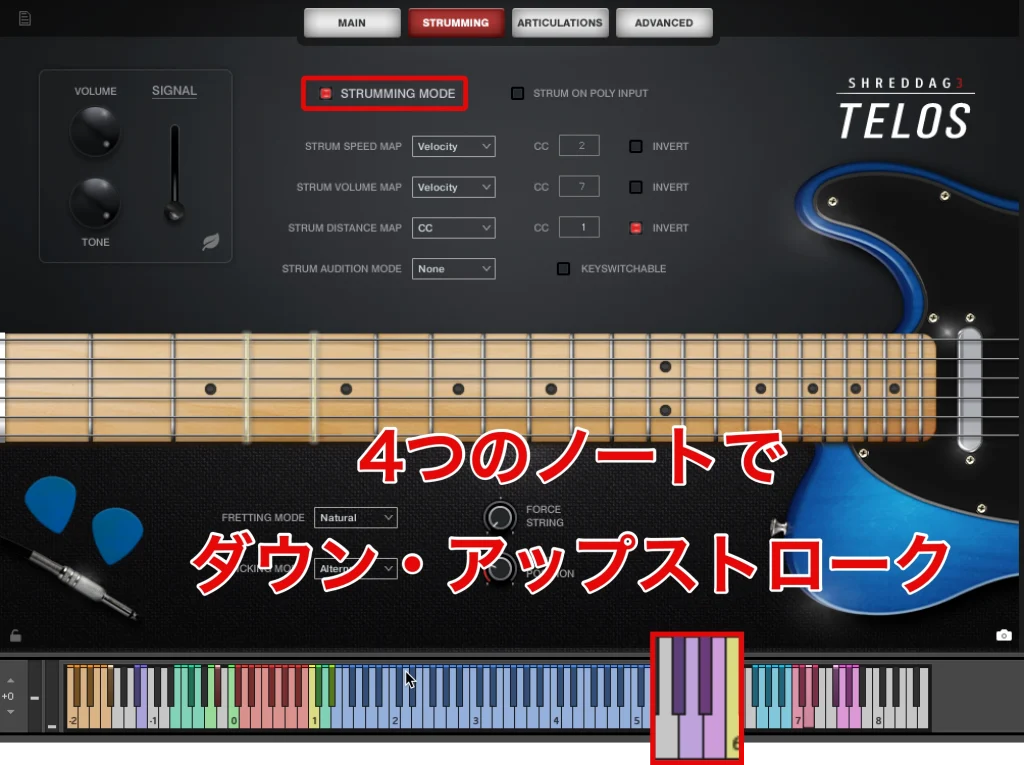
With STRUMMING MODE enabled, chord voicings and picking or strumming are entered using separate notes.
Of the three instruments in this comparison, it was the only one without a voicing-assistance feature in the tested workflow. You need to enter notes that form a suitable guitar voicing yourself.
For that reason, Shreddage calls for more specific knowledge of guitar playing.
Strumming: Shreddage
Although it takes more effort to program, the resulting sound is excellent and, to our ears in this test, the closest to a real strummed performance.
Recreating octave playing
Octave playing sounds the same phrase simultaneously at two pitches an octave apart, producing a fuller sound and taking advantage of the guitar's range.
It often appears in lead phrases, sometimes combined with slides.
Octaves: live guitar
Ample Guitar
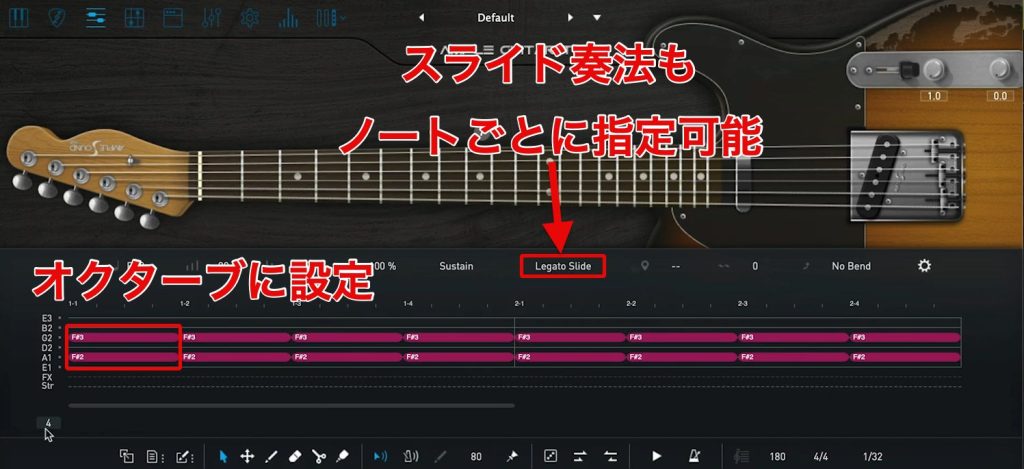
Riffer lets you specify each string's pitch and playing technique in detail, so the two notes of an octave can be assigned to separate strings.
You can also assign slides note by note, making detailed gestures that would be awkward in the DAW piano roll more intuitive to program.
Octaves: Ample Guitar

When not using doubling, setting the sample cycle mode to Round Robin reduces the machine-gun effect on repeated notes.
Evolution
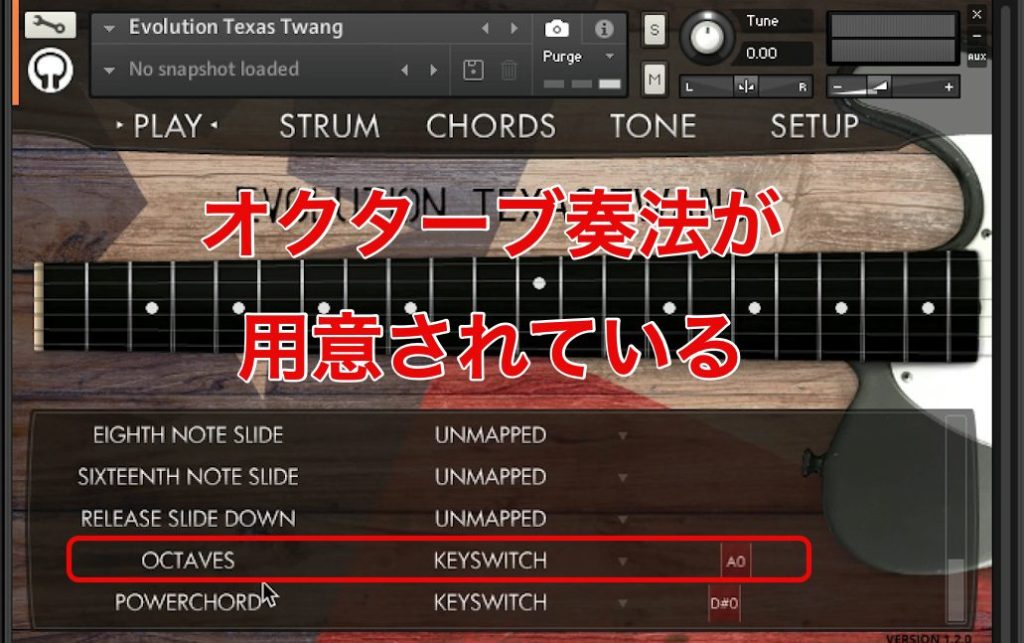
Evolution has a dedicated octave articulation, making this technique the easiest to program in our comparison.
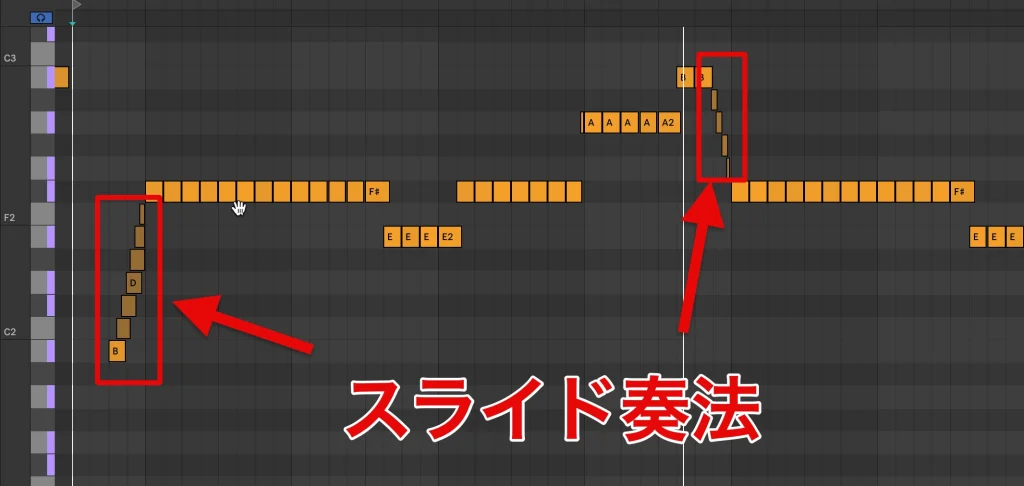
As with power chords, combining it with overlapping hammer-on notes to approximate slides produced smooth phrases with an intuitive workflow.
Octaves: Evolution
At times, the sound felt a little too clean to capture all the roughness of live playing, but it took the least programming time of the three instruments.
Shreddage
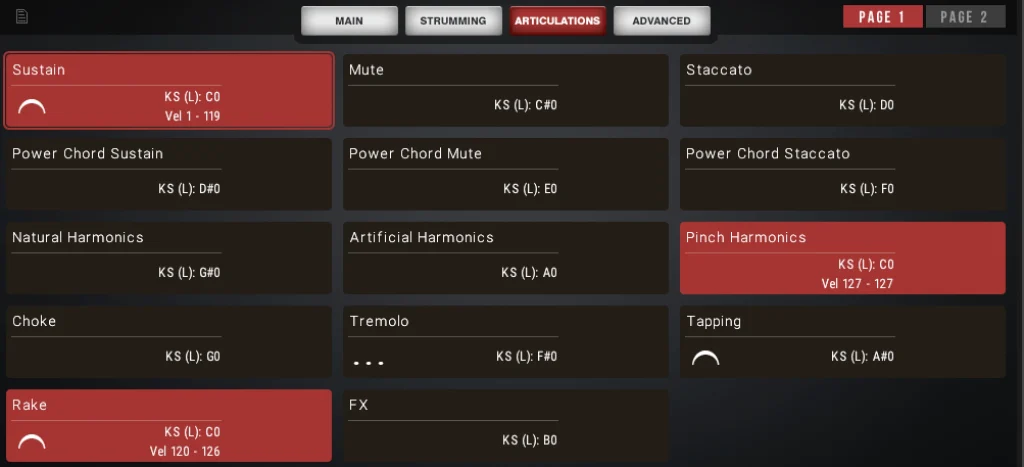
Shreddage did not offer a dedicated octave articulation or programming aid for this technique in the version and workflow tested.
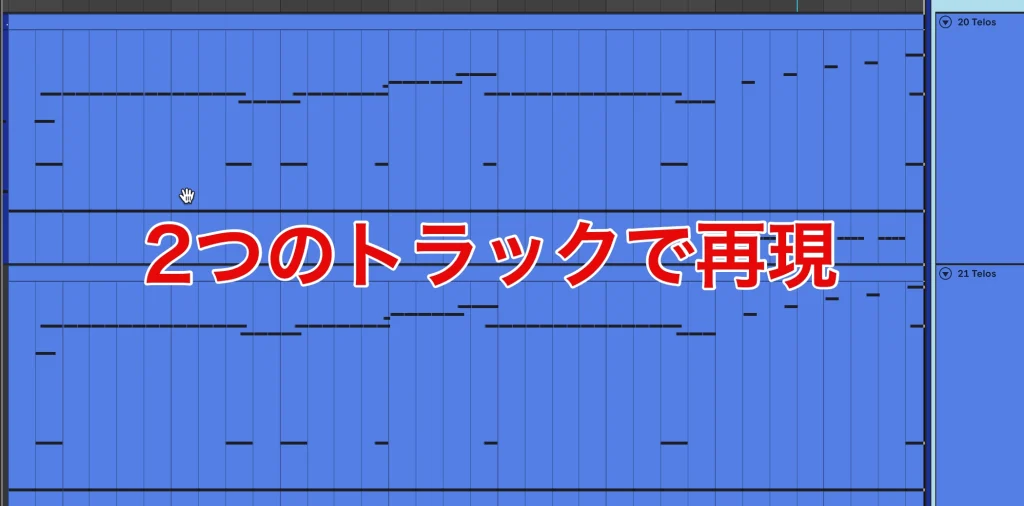
We therefore used two tracks, programming one note of the octave on each track.
This required routing both tracks to a group or bus and applying the amp simulator there. It also did not automatically create timing differences between the two strings, so we found the other instruments more convenient and intuitive for this task.
Octaves: Shreddage

However, Shreddage's Ringing feature adds incidental notes beyond those explicitly programmed, recreating some of the behavior of real guitar playing and giving the result a lifelike character.
Conclusion
What did you think of the comparison?
Each instrument has strengths and weaknesses. Ultimately, the choice comes down to balancing sound quality and ease of programming for the techniques you use most often.
In our comparison, all three still fell a little short of a live performance in some respects. Further realism would require more detailed, note-by-note editing.
Programmed drums, piano and bass are already used in commercially released music. We will continue following how virtual guitar instruments develop and how convincingly they can meet those demands.
Instruments used in this comparison
Frequently asked questions
Q1. Why is guitar difficult to program in a DAW?
Dynamics and picking nuances strongly influence a guitar's tone, so convincing programming requires detailed adjustments. Crunch sounds sit between clean and distorted tones and reveal subtle expression, making a high-quality instrument and careful performance control especially important.
Q2. What exactly is a crunch tone?
It is a lightly overdriven sound between clean and more heavily distorted tones. With suitable amp settings, lower-velocity playing stays cleaner while stronger playing produces more overdrive, making expressive control important.
Q3. Which of the three instruments is approachable for beginners?
Evolution Texas Twang makes high-quality guitar sounds relatively easy to obtain and includes a dedicated power-chord articulation, making it an approachable option for getting started.
Q4. How can I improve programmed power chords?
Keep amp gain moderate and use velocity-dependent tone changes. Make use of the instrument's articulations and combine slides or hammer-ons where appropriate to improve realism.
NEW ARTICLES
Latest English Articles











